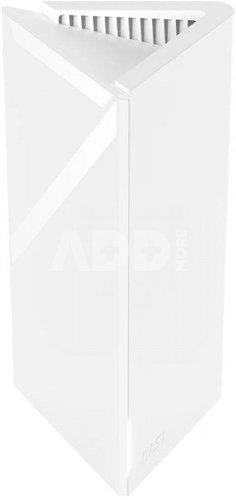
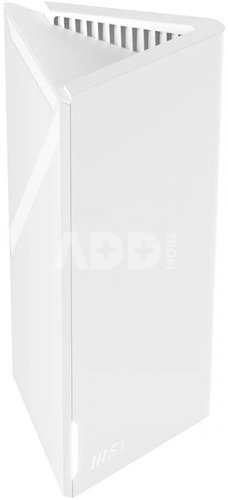
MSI Router Roamii BE Lite Mesh System - 1 Pack
Kodas: 20245ABL
Gamintojo kodas: MRBE50-1PK
Įsiminti
Roamii BE Lite Mesh System Router - 1 Pack
A New Era of Connectivity
WiFi 7 offers a range of groundbreaking technologies, including Multi-Link Operation (MLO) for multi-link operations, 4K-QAM modulation, and increased throughput, which improve transmission speeds and reduce latency while ensuring performance in environments with high network density. Enjoy 8K streaming and immersive VR experiences now.
Stay connected while moving around your home
Roamii BE Lite offers seamless connection to different subnet segments with a single, consistent SSID, allowing you to enjoy uninterrupted streaming from AI-powered apps or mobile gaming while moving throughout your home.
Whole-Home Coverage with Speeds of Up to 3.6 Gbps
Compliant with the WiFi 7 standard, Roamii BE Lite delivers fast, dual-band connectivity for smooth, low-latency internet access in every room of your home.
Ultra-Fast 2.5 Gbps Wired Connection
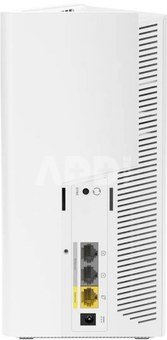
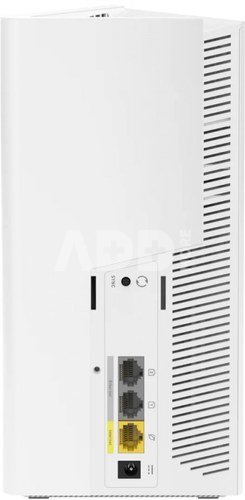
Roamii BE Lite offers one 2.5 Gbps Ethernet port and two 1 Gbps Ethernet ports, with the option of operating as a Mesh backhaul or a high-speed wired connection. These Ethernet ports ensure lag-free performance for bandwidth-intensive applications, ensuring minimal interruptions while you immerse yourself in online entertainment.
Simplicity at Your Fingertips
Easily configure your Mesh system using the intuitive Roamii app, which also notifies you of any security events.
Protect Your Home Network
Prioritize security with FortiSecu, which offers multi-layered protection for network-connected devices and includes parental controls to help keep inappropriate content away from children.
Home Network Protection
Activate Fortisecu in the Roamii app to scan for threats and protect all your network-connected devices, including mobile phones, computers, TVs, game consoles, and other IoT devices.
Parental Controls
Configure a profile for your children's devices, and Fortisecu will help you manage and schedule internet access and block content that is harmful to children.
Isolated Networks
Set up individual networks for children, guests, and smart home devices, which are isolated from each other for better protection and easy management.
Desktop or Wall-Mounted
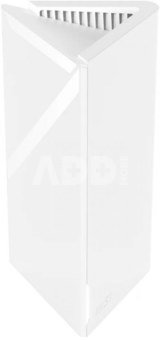
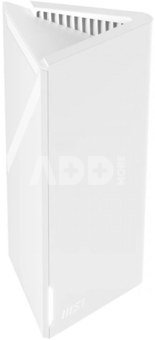
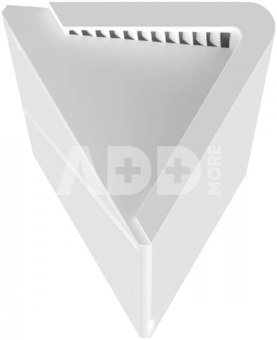
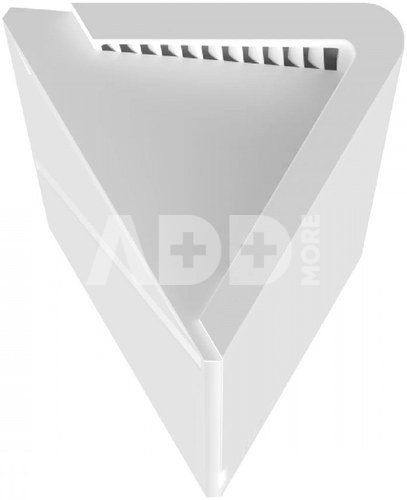
Roamii BE Lite comes with additional wall-mounting accessories, so you can place it on a living room cabinet, hang it on a garage wall, or place it anywhere. Roamii BE Lite Mesh System
- Dual-band data transmission speeds up to 3.6 Gbps: Data transfer speeds up to 2882 Mbps on the 5 GHz frequency and 688 Mbps on the 2.4 GHz frequency.
- WiFi 7: The latest Wi-Fi technology, including MLO (Multi-Link Operation), 4K-QAM, and MU-MIMO.
- Large coverage area: Fast Wi-Fi covers up to approximately 540 m (for a set of two units), allowing you to enjoy streaming and gaming anywhere in your home.
- Low-latency backhaul: Build reliable, low-latency mesh networks with a wired or wireless backhaul connection using 2.5 Gbps Ethernet or Wi-Fi 7 standards.
- MSI FortiSecu network security system: Provides comprehensive protection and parental controls. Ease of use: Set up and manage your mesh network in minutes using the MSI Roamii app. Receive real-time security notifications.
Pristatymo laikas
1-4 d.d.
Aptarkite su konsultantu Kaune
Neturime
Kaunas Adresas: Birželio 23-iosios g. 23g Darbo laikas: I-V 09:00 - 18:00 VI-VII nedirba Telefonas: +370 674 59488
Aptarkite su konsultantu Klaipėdoje
Neturime
Klaipėda Adresas: Taikos pr. 17 Darbo laikas: I-V 10:00 - 19:00 VI 10:00 - 14:00 VII nedirba Telefonas: +370 604 43972
1. Kaip pasirinkti tinkamą maršrutizatorių namų tinklui?
Norint užtikrinti stabilų ir spartų interneto ryšį, labai svarbu pasirinkti tinkamą maršrutizatorių. Atsižvelkite į tokius veiksnius, kaip maršrutizatoriaus greitis (matuojamas megabitais per sekundę), dažnių juostos (GHz), belaidžio ryšio standartai (pvz., "Wi-Fi 6") ir turimos funkcijos. Taip pat atsižvelkite į savo namų ar biuro dydį, nes tai gali turėti įtakos ryšio kokybei. Saugumas yra svarbus, todėl įsitikinkite, kad maršrutizatorius turi patikimus saugumo protokolus, pavyzdžiui, WPA3 šifravimą. Jei turite daug įrenginių, kuriuos prijungiate prie tinklo, rinkitės maršrutizatorių su daugiajuosčiu palaikymu. Taip pat patikrinkite gamintojo reputaciją ir vartotojų atsiliepimus, kad įsitikintumėte maršrutizatoriaus patikimumu. Svarbu pasirinkti maršrutizatorių, kuris geriausiai atitinka jūsų poreikius ir užtikrina efektyvų tinklo veikimą.
2. Kaip pagerinti belaidžio interneto signalą namuose?
Norint pagerinti belaidžio interneto signalą namuose, galima įgyvendinti keletą priemonių. Pirma, patikrinkite maršrutizatoriaus vietą ir stenkitės jį įrengti kuo arčiau įrenginių, kuriems reikia stipraus ryšio. Pabandykite išvengti kliūčių, tokių kaip sienos arba metaliniai objektai, kurie gali slopinti signalą. Kitas būdas - naudoti stiprintuvą arba pratęsti belaidį tinklą naudojant "Wi-Fi extender" arba "mesh" tinklo sistemą. Patikrinkite maršrutizatoriaus nustatymus ir pasirinkite tinkamus belaidžio ryšio kanalus, kad išvengtumėte trikdžių nuo kitų nešiojamųjų įrenginių arba kaimynų maršrutizatorių. Galų gale, įsitikinkite, kad maršrutizatorius ir visi įrenginiai turi naujausius programinės įrangos atnaujinimus, nes šie atnaujinimai dažnai patobulina signalo stabilumą ir veikimą. Remiantis šiomis priemonėmis, galima ženkliai pagerinti belaidžio interneto signalą ir užtikrinti geresnę ryšio kokybę namuose.















Atsiliepimai
0 vidutinis įvertinimas (0 įvertinimų)