Dell Pro Smart Dock - SD25 180W
Kodas: 141383394VOK
Gamintojo kodas: 210-BRFM
Įsiminti
Dell Pro Smart Dock SD25
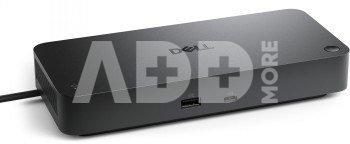
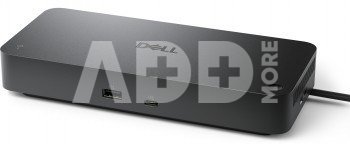
The Dell Pro Smart Dock SD25 is a smart and high-performance USB-C dock, purpose-built for the new generation of AI-enabled PCs and modern hybrid workspaces. It supports up to four high-resolution displays, delivers faster USB and networking speeds, and provides up to 130W power for Dell laptops (96W for non-Dell systems).
This dock is the world’s most manageable and most secure smart docking solution. It enables remote management without user presence through the Dell Device Management Console, and includes advanced security such as WPA-3 encryption and hardware-level protections.
Crafted with sustainability in mind, the SD25 is made from at least 65% post-consumer recycled plastic and ships in 100% recyclable or renewable packaging. It’s the ideal solution for organizations seeking power, security, and environmental responsibility.
Technical Specifications:
- Interface: USB Type-C (DP Alt Mode)
- Power Delivery:
- 130W for Dell laptops
- 96W for non-Dell systems
- Display Support without DSC (DP 1.4):
- 4 x SXGA (1280 x 1024) @60 Hz
- 3 x FHD (1920 x 1080) @60 Hz
- 2 x QHD (2560 x 1440) @60 Hz
- 1 x 4K (3840 x 2160) @60 Hz
- Display Support with DSC (DP 1.4 / 2.1):
- 4 x WQHD (3440 x 1440) @60 Hz
- 3 x WQHD (3440 x 1440) @60 Hz
- 2 x 5K (5120 x 2160) @60 Hz
- 1 x 6K (6144 x 3456) @60 Hz
Ports and Connectivity:
- 2 x DisplayPort 1.4
- 1 x HDMI 2.1
- 1 x USB-C 3.2 Gen 2 (DP 1.4)
- 4 x USB-A 3.2 Gen 2 (10 Gbps, PowerShare 4.5W)
- 1 x USB-C 3.2 Gen 2 (10 Gbps, PowerShare 15W)
- 1 x USB-C Multi-function DisplayPort (PowerShare 7.5W)
- 1 x 2.5 Gigabit Ethernet (RJ45)
- 1 x power input (180W adapter)
Management and Software Features:
- MAC Address Pass-Through
- PXE Boot
- Power Button Sync
- Wake-On-LAN
- WLAN to LAN switching
- Kernel DMA Protection
- Remote firmware updates without a PC
- Dell Firmware Utility
- Dell Display and Peripheral Manager
- Dell Command Update
- Dell Device Management Console (cloud-based)
Supported Operating Systems:
- Windows 10 and 11
- Ubuntu 24.04
- Red Hat Enterprise Linux 9.6+
- ChromeOS 137
Dimensions and Build:
- Dimensions: 205 x 90 x 35.25 mm
- Weight: 562 g (without power adapter)
- Cable Length: 0.9 m
- Security: Kensington and wedge lock slots
- Made from at least 65% recycled plastic
- 100% recyclable or renewable packaging
Warranty and What's in the Box:
- 3-Year Limited Hardware Warranty (Advanced Exchange)
- Optional 4- or 5-year extended warranty
- Box includes:
- Dell Pro Smart Dock SD25
- 180W power adapter and power cable
- Quick Start Guide and Safety Information
Pristatymo laikas
11-14 d.d.
Aptarkite su konsultantu Kaune
Neturime
Kaunas Adresas: Birželio 23-iosios g. 23g Darbo laikas: I-V 09:00 - 18:00 VI-VII nedirba Telefonas: +370 674 59488
Aptarkite su konsultantu Klaipėdoje
Neturime
Klaipėda Adresas: Taikos pr. 17 Darbo laikas: I-V 10:00 - 19:00 VI 10:00 - 14:00 VII nedirba Telefonas: +370 604 43972
1. Kaip pasirinkti tinkamą laidą ar kabelį mano įrenginiui?
Pasirinkdami tinkamą laidą ar kabelį jūsų įrenginiui, pirmiausia turėtumėte žinoti jūsų įrenginio tipą ir reikalavimus. Atkreipkite dėmesį į jungčių tipus (USB, HDMI, Ethernet, itin), taip pat kabelio ilgį ir kokybę. Jei ieškote greito duomenų perdavimo, pasirinkite aukštos kokybės USB 3.0 ar HDMI kabelį. Ryšio tipo atžvilgiu, Ethernet kabelis gali būti naudingas stabiliam interneto ryšiui. Taip pat galite atsižvelgti į varžą, laidų storį. Svarbu atkreipti dėmesį į patikimų gamintojų produkciją ir atsiliepimus, siekiant užtikrinti kabelio patikimumą ir ilgaamžiškumą.
2. Kaip išlaikyti laidus ir kabelius ilgą laiką?
Norint išlaikyti laidus ir kabelius ilgą laiką, svarbu laikytis keleto patarimų. Pirma, vengti jų sulenkimų ar susukimų, ypač arti jungčių, kad būtų išvengta gniužimo. Antra, neleiskite jiems būti per arti šilumos šaltinių ar saulės spindulių, kad būtų išvengta perkaitimo. Trečia, laikykite laidus ir kabelius tinkamai susuktus arba sutvarkytus naudodami specialius laikiklius. Kai nenaudojate, įsitikinkite, kad kabeliai nėra pertempiami arba nekrenta nuo stalo. Be to, reguliariai tikrinkite laidus dėl galimų pažeidimų. Taip išlaikysite jų patikimumą ir pratęsite naudojimo laiką.






















Atsiliepimai
0 vidutinis įvertinimas (0 įvertinimų)