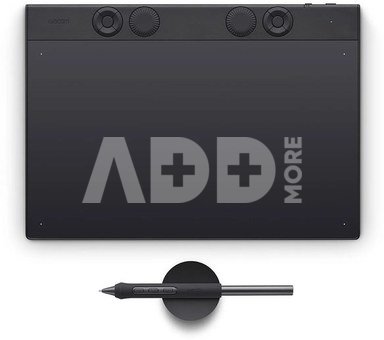
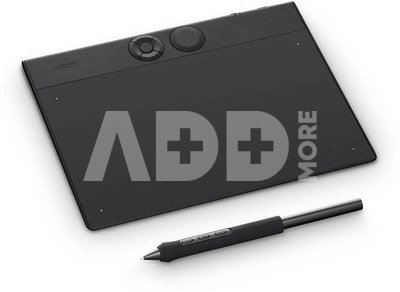
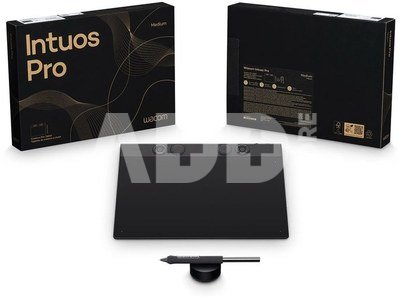
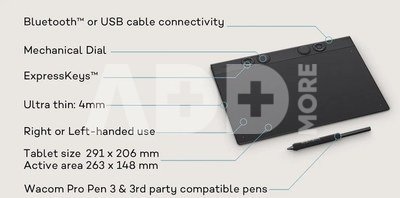
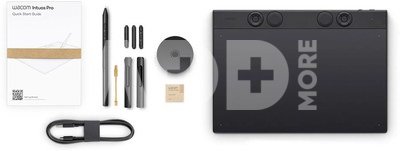
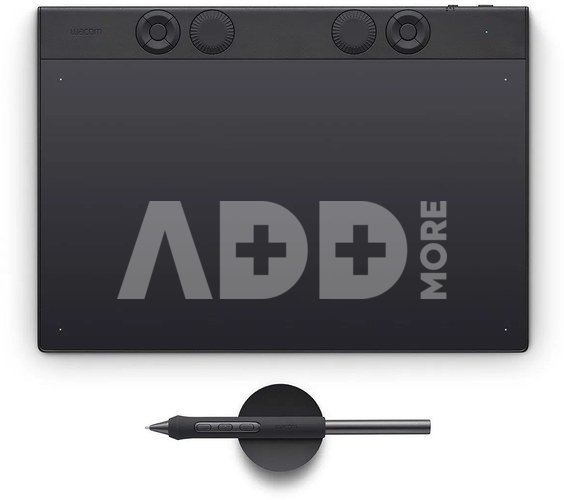
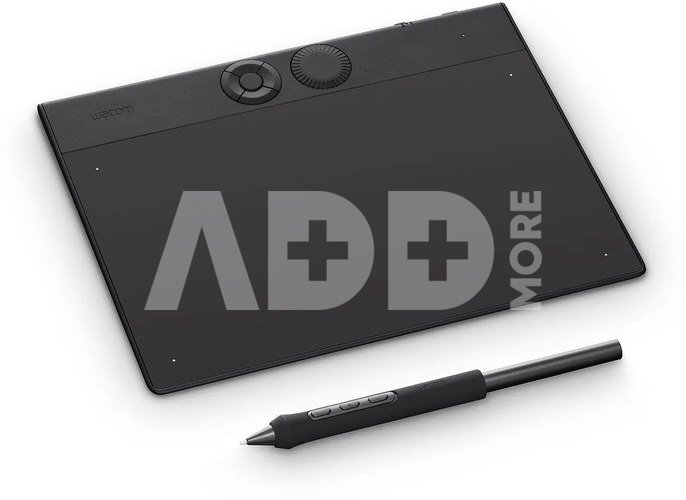
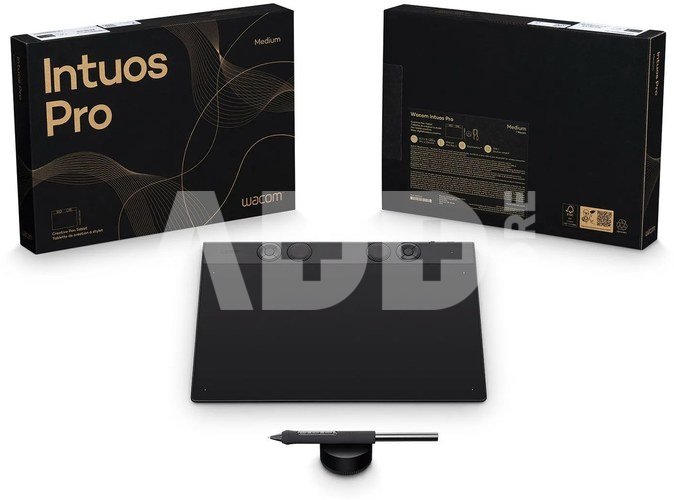
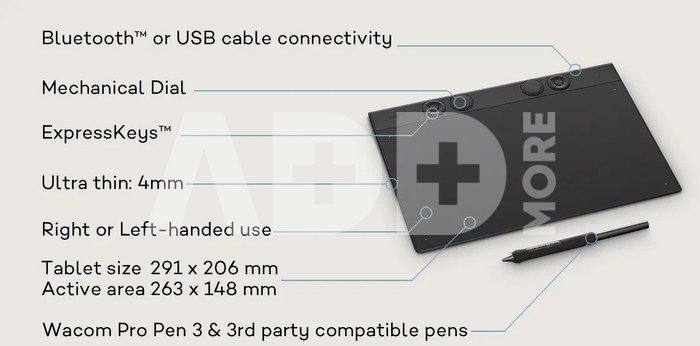
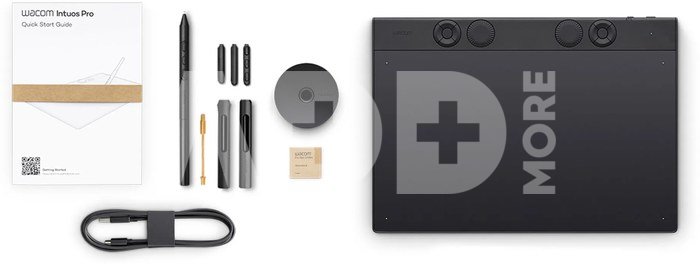
Designed for artists who need versatility, the Wacom Intuos Pro Medium delivers a seamless creative flow. With a 291 × 206 mm body and a generous 263 × 148 mm active area, it offers precision without sacrificing mobility. Equipped with the Wacom Pro Pen 3, customizable ExpressKeys, and wireless connectivity, it’s built for efficiency, comfort, and fluid creativity.
- The new generation Wacom Intuos Pro
- Completely redesigned from the inside out
- Wacom's most advanced pen tablet technology
- A powerful new chip and digitizer set
- Customize the tactile ExpressKeys and dials for any application
- Ergonomic layout for right and left hands
- Can be connected with USB or with wireless bluetooth - up to 16 hours per charge
- Tablet selector button switches between wired and wireless connections
- Control and create in professional illustration, 3D, motion graphics, and image editiing applications
- Wacom Pro Pen 3 – Customizable grip, weight, and buttons for ultimate precision and comfort.
- Ultra-Slim & Lightweight: Just 4–7 mm thin, with a size of 291 × 206 mm and an active area of 263 × 148 mm.
- Ergonomic & Ambidextrous Design – Comfortable for both left- and right-handed users.
- Durable & Long-Lasting – Improved nib durability and up to 16 hours of battery life in wireless mode.
- Backward Pen Compatibility – Supports UD/GD pens for continued use of previous tools.
Using the Wacom Intuos Pro MediumWacom Intuos Pro Medium is designed to meet the high standards of creative professionals, offering a seamless and intuitive workflow. Engineered for precision and efficiency, it delivers a natural and responsive experience for digital creation, ensuring ultimate control and comfort.
Striking the perfect balance between size and performance, Wacom Intuos Pro Medium is the ideal choice for illustrators, designers, and photo editors. With a generous active area, customizable controls, and ergonomic design, it enhances productivity while maintaining a compact footprint for flexible work environments.
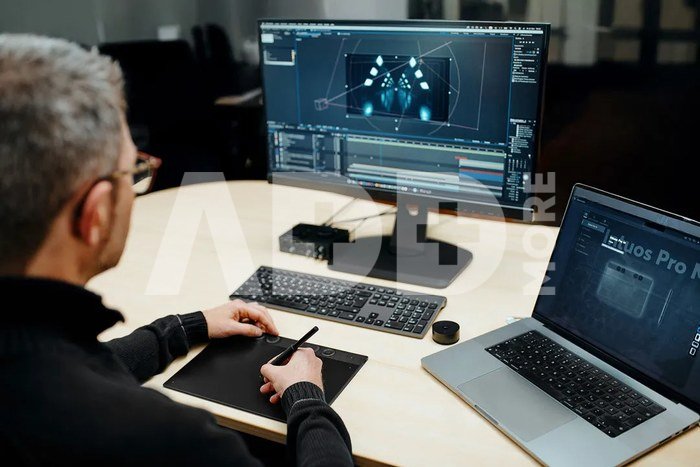
Streamline Your WorkflowEnhance your editing precision with the Wacom Intuos Pro Medium. Customize ExpressKeys and dials for quick access to key functions, navigate timelines effortlessly, and make frame-by-frame edits with the ultra-responsive Wacom Pro Pen 3. Stay in the creative flow and speed up your post-production process.
Precision in Every DimensionSculpt, model, and animate with natural control using the Wacom Intuos Pro. The pressure-sensitive Wacom Pro Pen 3 delivers ultra-precise strokes, while customizable controls let you navigate 3D space effortlessly. Achieve smoother workflows and bring your ideas to life with precision and efficiency.
Flawless Edits, Natural FeelPerfect every detail with the Wacom Intuos Pro Medium. The advanced Wacom Pro Pen 3 mimics traditional brush strokes with unparalleled accuracy, while customizable shortcuts keep your workflow seamless. Achieve professional-grade photo edits with ease and stay in total creative control.
Wacom Pro Pen 3 Morphs to the way you makeFrom the inside out, Wacom Pro Pen 3 can be configured to your favorite feel. With customizable weight, grip thickness, pen buttons and center of balance, find the configuration that suits your style. This tailor-made approach to design delivers an unforgettable creative experience.
- 8,192 levels of pressure sensitivity, 3 side switches
- State of the Art Pen Technology: 3rd generation Wacom Pen technology
- Perfect Custom Fit: Customizations for weight balance, different grips or no-side-switch included
- Tilt recognition: Improved tilt+/-60 degrees
- Super Responsive: The Pro Pen 3 senses every nuance and every change, so even the lightest of touches will appear on the screen
Compatible Pens for Total FlexibilityIntuos Pro embraces versatility with a wide range of compatible accessories, including your favorite legacy Wacom pens or third-party EMR pen options from LAMY, Staedtler, and Kaweco. Use the pen you love — Intuos Pro’s ecosystem gives you freedom to customize your experience.
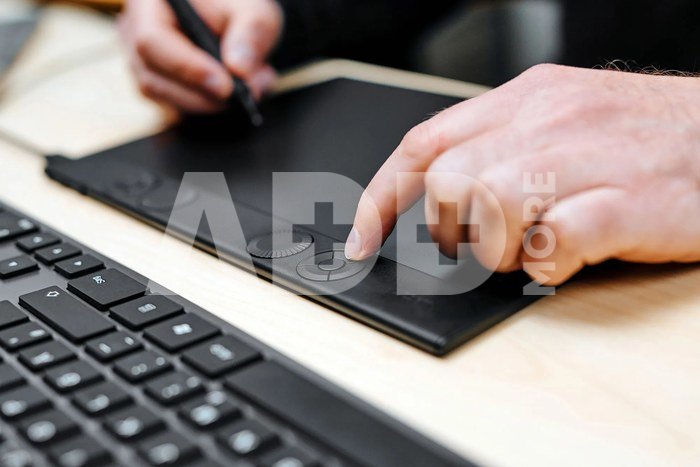
Introducing the new DialWacom Intuos Pro Medium introduces a precision-engineered dial, enhancing control over creative tools like timelines, zoom, and color levels. Designed for single-finger operation while holding a pen, it provides precise, click-calibrated adjustments for smooth workflow integration. This intuitive addition ensures effortless navigation and fine-tuned modifications, making complex adjustments more efficient and precise.
The Circular ExpressKeysErgonomically designed circular ExpressKeys™ offer quick, effortless access to essential shortcuts. Positioned on both sides for maximum comfort, they minimize movement while maintaining efficiency. Their concave shape enhances usability, and in applications requiring fine adjustments—such as vector spline controls—they can function as directional cursors, ensuring seamless control.
Enhanced Surface, Precision Nibs & Seamless ConnectivityThe Wacom Intuos Pro Medium features an improved standard texture sheet and three durable nib types: Standard (POM), Felt, and Rubber, catering to varied artistic preferences. Enhanced nib longevity ensures extended use without frequent replacements. The new USB/Bluetooth selector allows seamless switching between multiple connected devices, optimizing workflow flexibility and reducing cable wear.
Seamless Integration into Your Software WorkflowThe Wacom Intuos Pro Medium is designed to work flawlessly with industry-leading creative software, making it an essential tool for professionals in video editing, post-production, 3D modeling, animation, and photo retouching. Whether you use Adobe Photoshop, Premiere Pro, DaVinci Resolve, Blender, or other professional applications, the tablet ensures precise control and efficiency. With full compatibility across Windows and macOS, it integrates effortlessly into any creative setup, enhancing your workflow without interruption.
Bonus Software Included
- MASV: A faster way for creatives to send massive, time-critical files 3 month license (or 250GB)
- ClipStudio Paint Ex 3-month license + additional 3-months can be activated on Windows and Mac by registering with Clip Studio (Celsys)























Atsiliepimai
0 vidutinis įvertinimas (0 įvertinimų)