
+370 462 46444
I-V 10:00-19:00
VI 10:00-14:00

PCEA-S4N Black

PCEA-S4N Black
-35%
Code: 08975RDM
Manufacturer code: PCEA-S4N
Add to wishlist
EU warehouse
Delivery 1-4 w.d.
EAN
8595247905413
Choose properties
Color
19.99 31.00
Extended warranty
Product insurance

Pick up for free in the store in Kaunas (Birželios 23-iosios str. 23g) Rugsėjo 20 d.

Pick up for free in Klaipėda, in the store (Taikos pr. 17) Rugsėjo 20 d.

We will deliver to your home via courier service Rugsėjo 22 d.

Turite klausimų? +370 462 46444 Send request

DescriptionPCEA-S4N Black description

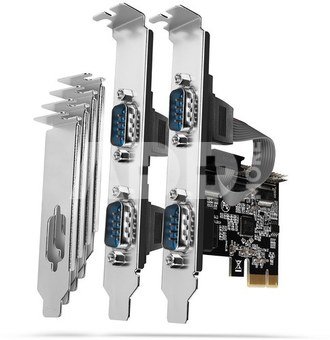
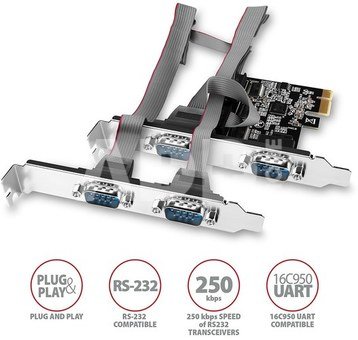
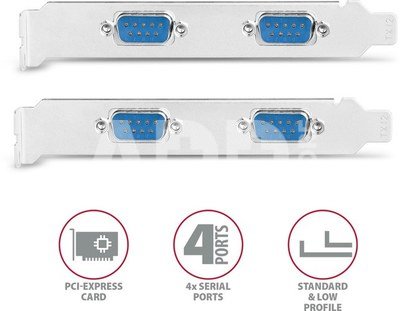
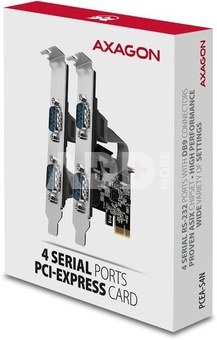
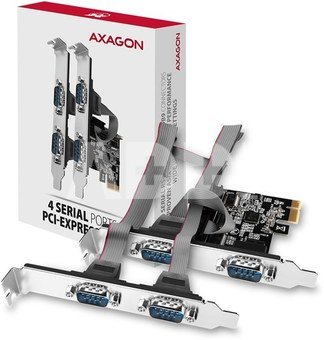
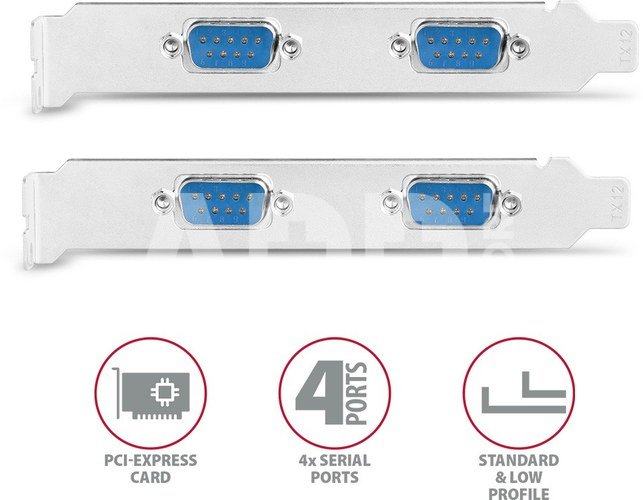
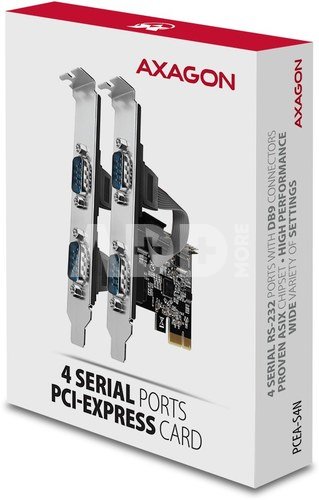
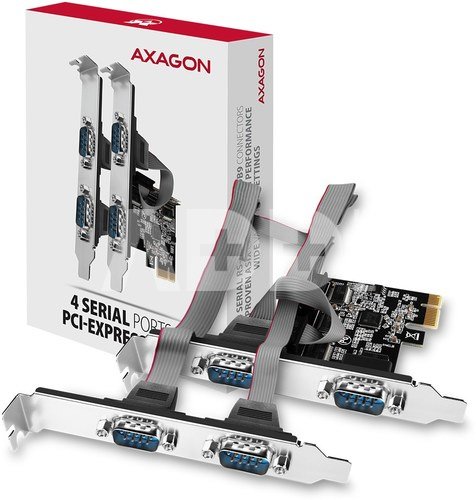
The AXAGON PCEA-S4N PCI-Express card extends your desktop PC by four RS-232 serial ports with DB-9 connectors.

High performance, seamless compatibility and wide port options are ensured by proven ASIX chipset.

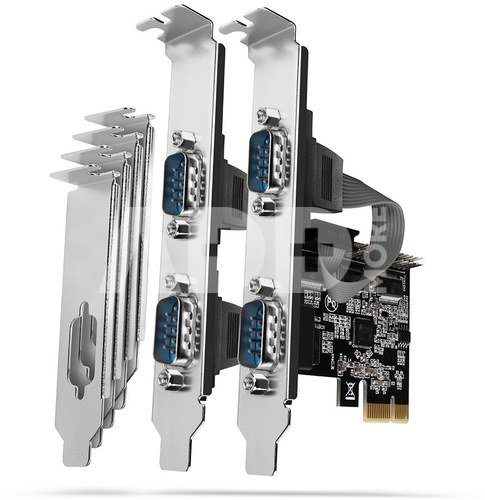
Included low profile brackets allow controller installation into standard and also low profile PC-cases.

Input:  

  • PCI-Express 2.0 interface compatible with PCI-Express 1.0a / 1.1 / 2.1 / 3.0.
  • Number of lines 1-Lane (x1), compatible with x1 / x4 / x8 / x16 PCIe slots.
  • The bandwidth of 1-Lane PCI-Express 2.0 bus 5 Gb/s.

Output:

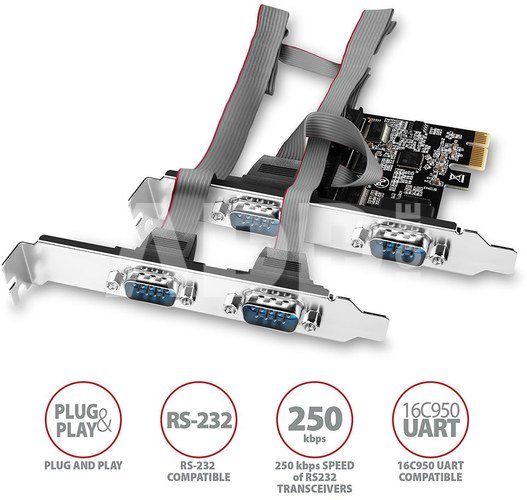
  • 4x serial RS-232 port with DB9 male connectors, the ports are placed on the cards bracket + on separate bracket connected to card via cable.
  • Guaranteed data flow of used RS232 drivers up to 250 kBd.
  • Compatible with 16C550 / Extended 16C550 / 16C950 UART.

Other features:
Plug and Play Support - automatic selection of IRQ and I/O address.
256-Byte transmit & receive FIFO buffer for each port.
Serial port baud rate setting.
Adjustable word length 5, 6, 7, 8 or 9 bits.
Adjustable parity (even, odd, none, mark, space), 1, 1.5 or 2 stop bits.
Adjustable flow control Xon/Xoff, hardware or none.
The COM port number change.
Advanced 9-bit data transfer settings and custom baud rate settings.
Supports TXD, RXD, RTS, CTS, DTR, DCD, DSR, and RI serial signals.
Serial port electrostatic discharge (ESD) protection exceeding 15KV Air Gap Discharge and 8KV Contact Discharge.
Supports connecting serial devices such as ATMs, cash registers, barcode readers, CNC machines, tablets, modems,  POSs or PDAs.
The ASIX AX99100 chipset is used.

Supported operating systems:
MS Windows XP / Vista / 7 / 8 / 8.1 / 10 and later, Windows Server 2003 / 2008 / 2012 / 2016 and later (supported all 32 and 64-bit Windows OS versions), with kernel 2.6.11 and above.

Package contains:
PCI-Express card with a standard bracket,
standard bracket with serial ports,
low profile brackets,
multilingual guide Z / DE / DK / ENG / ESP / FIN / FR / GR / HR / HU / IT / NL / PL / PT / RO / RU / SK / SWE / TR / BG / CN / ARA,
packed in a cardboard box.

Warranty 24 months

Weight 0.14 kg

Delivery time 1-4 w.d.

Discuss with a consultant in Kaunas

We don't have Klaipėda Address: Birželio 23-iosios g. 23g Working hours: I-V 09:00 - 18:00 VI-VII not working Phone: +370 674 59488
Kaunas

Discuss with a consultant in Klaipėda

We don't have Klaipėda Address: Taikos pr. 17 Working hours: I-V 10:00 - 19:00 VI 10:00 - 14:00 VII not working Phone: +370 604 43972
Klaipėda
Specification
Producer(?) Axagon
Warranty 24 months
Weight 0.14 kg
Delivery time 1-4 w.d.
Product codes

08975RDM PCEA-S4N 8595247905413

Reviews

0 average rating (0 votes)

 0
 0
 0
 0
 0

Leave a comment

Only registered users can rate.

Customer reviews (0)

There are no reviews. Be first!

1. How to choose the right cable for your camera or other device?

To choose the right cable for your camera or other device, it is important to consider several factors. First, you need to know what type of connector your device uses – whether it's USB, HDMI, USB Type-C, etc. Next, it’s important to take into account the data transfer speed (the data transfer rate). If it's data transfer, for example, from the camera to the computer, you may need a fast USB 3.0 or USB Type-C connection. Another factor is the cable length – choose the appropriate length depending on where and how you plan to use the cable. The quality of the cables can also impact the stability of the transferred data and the sound quality of the speaker wire. Carefully read the device specifications and choose a cable that suits your needs.

2. How to choose the right power adapter for your electronic device?

When choosing the right power adapter for your electronic device, it is important to pay attention to several key factors. Check the device's specifications to determine the required input voltage, current, and connector. The adapter must meet these specifications to ensure proper charging and prevent potential damage. Choose an adapter from a reliable manufacturer and make sure it meets safety standards. It is also important to pay attention to the type of adapter connector and ensure it is compatible with your device. Finally, consider the portability and convenience of the adapter, especially if you need to charge your device frequently while traveling.