



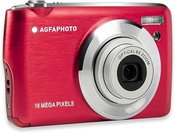
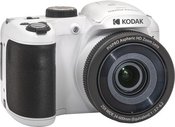
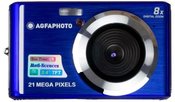
1. What are the main features to consider when choosing a digital camera?
When choosing a digital camera, it's important to consider several key features to ensure it meets your needs. First, define your goals: will it be for everyday photos, professional photography, or a compact travel camera? Choose the appropriate sensor size, which directly affects photo quality and performance in low light conditions. Consider the number of megapixels – more doesn’t necessarily mean better quality. Select the right lens based on your needs. It's also essential to take into account the camera’s size, weight, ease of control, battery life, recording formats, flash capabilities, and connectivity with other devices. Don’t forget your budget – choose something within your means. Before purchasing, it's important to read reviews and do thorough research to ensure you’ll be satisfied with your choice.
2. How to understand and use the digital camera's menu system and settings?
The digital camera's menu system may initially seem complicated, but it's important to understand the basic settings. Experienced photographers often experiment with different settings, but beginners are recommended to familiarize themselves with the main settings such as ISO and aperture. Most cameras come with a user manual, and there are plenty of online tutorials that can help you quickly grasp the menu systems and settings. The key is to experiment, as this will help you better understand how different settings work and how to use them optimally in different shooting conditions.












Reviews
5 average rating (1 rating)