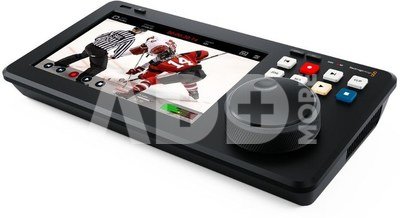
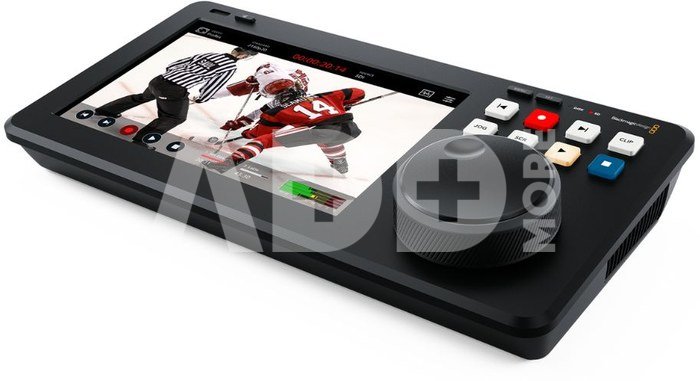
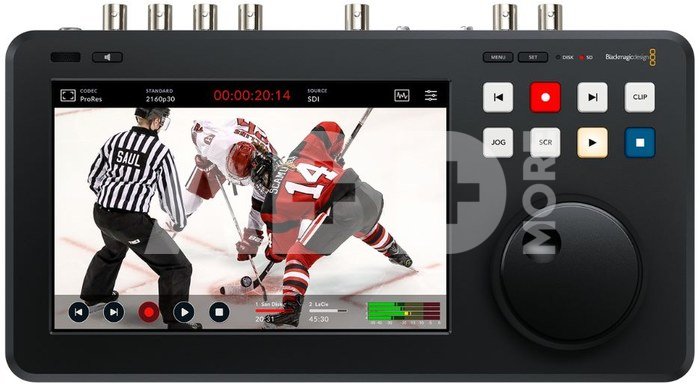
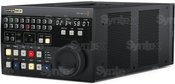
The HyperDeck Shuttle 4K Pro 2TB from Blackmagic Design is an advanced recorder and player with a large 7" touchscreen LCD display for previews and scopes. The large search wheel and broadcast controls are ideal for browsing media and selecting the desired clip to play. Availability is expected for June 2025.
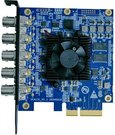
Connection via 12G-SDI allows connection to professional broadcast equipment. It supports 4K file recording and playback, HD proxy work, scopes display, 3D LUTs and network recording over fast 10G Ethernet. Included with this variant is a 2TB M.2 PCIe NVMe cache recording card that can handle up to 16Gbps. The slot supports 60mm 80mm and 110mm cards.
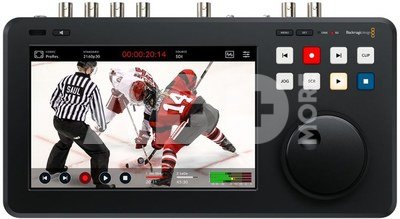
This new live media player and master recorder features ergonomic physical control buttons that allow you to scroll through large amounts of media and play clips. The large 7-inch HDR display has buttons for play, pause and record, as well as a mini playback timeline that lets you scroll through your clips. Also included is a "HUD" (heads-up display) that shows important information such as timecode, media status and audio meters. In addition, you can activate full broadcast scopes on the touch screen and enable features like focus assist and RGB exposure histogram. HyperDeck Shuttle 4K Pro settings can be changed directly via the on-screen menu. In addition, you can record and save 3D LUTs. The bright LCD display has a wider color gamut, so it supports both Rec. 2020 and Rec. 709 color spaces.
The HyperDeck Shuttle 4K Pro 2TB supports 12G-SDI and HDMI for recording to Apple ProRes, DNx, H.264 and H.265 in all video standards up to 2160p60. With 10G Ethernet and internal M.2 storage, the HyperDeck Shuttle 4K Pro is also network storage. This means it can share its media with editors and colorists. At the same time, synchronization to the Blackmagic Cloud is possible.
The HyperDeck Shuttle 4K Pro 2TB model has slots for M.2 cards, so network storage is built right into the device. This means that any editing system can simply connect to the device and access all media from one location. DaVinci Resolve can even edit media while it is being recorded. New broadcast features make DaVinci Resolve a great solution for live editing. Storage management is simple - just browse your network storage and select the folder you want to record to.
HyperDeck Shuttle 4K Pro 2TB supports H.265 recording and playback. It offers high compression ratios from 60:1 to 285:1, so you get small files at full broadcast quality. For audio, you can choose uncompressed PCM or AAC, which is ideal for uploading videos to YouTube. HyperDeck Shuttle supports both ExFAT (Windows) and HFS+ (Mac) drive formats, so drives can be attached and read on both platforms. Recording long events to a single video file is also supported.
The device is equipped with the latest 12G-SDI video connectors. The 12G-SDI technology is multi-rate, meaning that a single connector can handle connections to devices in SD, HD and Ultra HD formats. It supports NTSC and PAL in standard definition. HD 720p standards include 720p50 and 720p59.94. Interlaced 1080i HD formats include 1080i50 and 1080i59.94. Television 1080p HD standards include 1080p23.98, 24, 25, 29.97, 30, 50, 59.94 and 60p. The HyperDeck Shuttle 4K Pro even supports 1080 PsF formats . Over 12G-SDI, it also handles Ultra HD in all TV standards including 2160p23.98, 24, 25, 29.97, 50, 59.94 and 60p.
The model is equipped with extremely fast 10G Ethernet. The network speed is so fast that many editors and colorists can simultaneously connect to the built-in M.2 storage in the HyperDeck over the network. Files can also be transferred via a user-friendly web interface (HTTP/S) or an FTP client. HyperDeck Shuttle 4K Pro 2TB is a fully self-contained broadcast server designed for ingest (media ingest), media management and content playback.
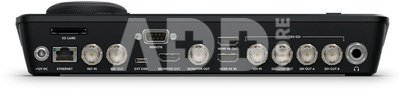
Connection:
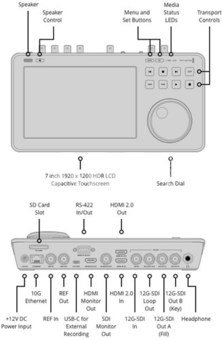
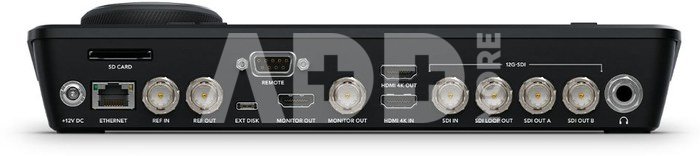
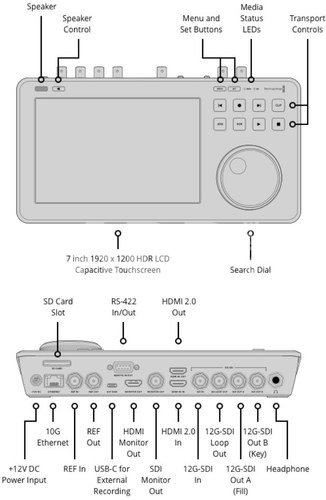
- SDI video inputs: 1
- 1SDI loop outputs
- 2SDI video outputs
- 1SDI monitoring output: 1
- SDI speeds: 270 Mbps, 1.5G, 3G, 6G, 12G
- HDMI 2.0 video inputs: 1
- HDMI 2.0 video outputs: 1
- HDMI monitor output: 1
- 1Built-in speaker: mono
- Audio output: 1× 6.35 mm headphone jack
- Screen: 7-inch LCD display
- Reference Input: 1× BNC In (Tri-Sync or Black Burst)
- Reference Output: 1× BNC Out
- SDI audio inputs: 64-channel embedded audio
- SDI audio outputs: 64-channel embedded audio
- HDMI audio inputs: 8 channel embedded audio
- HDMI audio outputs: 8 channel embedded audio
- Remote control: 1× RS-422 input
- Recorder configuration: via user interface on HDMI output or via Blackmagic HyperDeck protocol over Ethernet
- Ethernet: 1× 10Gbps RJ-45 connector, 1000/10G BASE-T support
- External recording: 1× USB-C 3.1 Gen 1 (up to 5 Gbps) for recording to external drives
- PC Interface: 1× USB-C for software updates
Media:
- Cache Recording: Includes a 2TB M.2 PCIe NVMe card for cache recording at up to 16 Gbps. The slot supports 60mm, 80mm and 110mm length cards
- Media: 1× SD memory card slot; 1× USB-C 3.1 Gen 1 expansion port for external recording in SD, HD, 2K DCI, Ultra HD and 4K DCI formats
- Media Type: UHS-I and UHS-II SD cards
- Media formatting: Media can be formatted to ExFAT (Windows/Mac) or HFS+ (Mac) file systems
Package Contents:
- HyperDeck Shuttle 4K Pro
- 2TB M.2 PCIe NVMe card for cache recording
- Universal 12V power adapter with international connectors
















Atsiliepimai
0 vidutinis įvertinimas (0 įvertinimų)