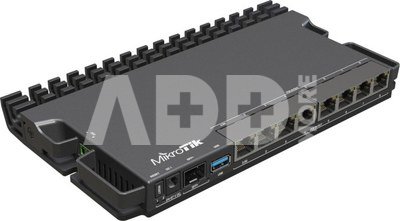
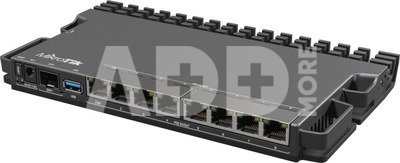
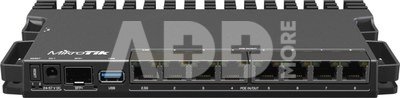
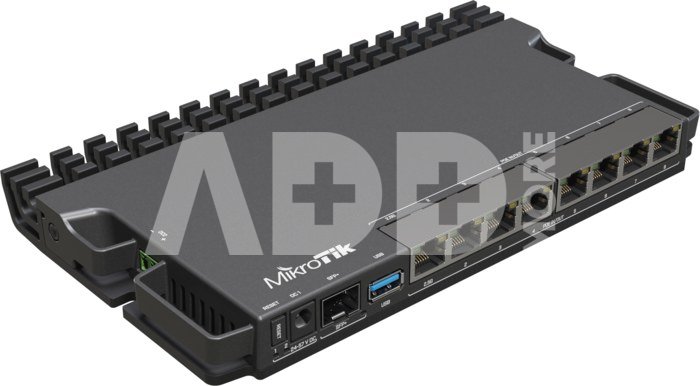
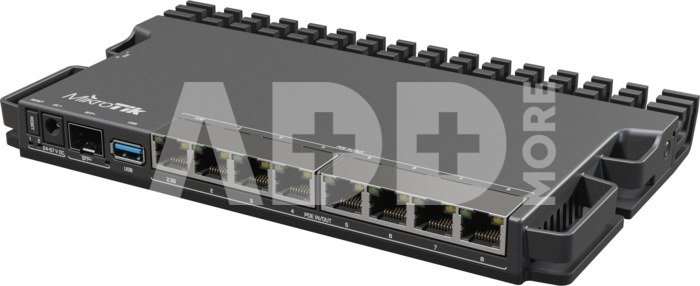
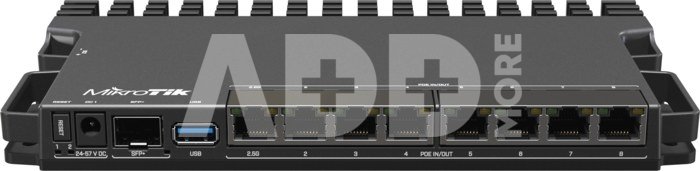
MikroTik RouterBOARD RB5009UPr+S+IN No Wi-Fi, Router Switch, Rack Mountable, 10/100/1000 Mbit/s, Ethernet LAN (RJ-45) ports 7, Mesh Support No, MU-MiMO No, No mobile broadband, SFP+ ports quantity 1
Kodas: 48941RME
Gamintojo kodas: RB5009UPR+S+IN
Įsiminti
This version of the RB5009 has all the bells and whistles of the previous model: Gigabit Ethernet, 2.5 Gigabit Ethernet, and a 10 Gigabit SFP+ cage for fiber connectivity. It has the speed, the power, and the durability. But this time, we have added PoE-in & PoE-out on all eight Ethernet ports. Combined with the 2-pin connector and the DC jack, you’re getting 10 separate ways of powering. Dual redundant power supplies would usually take your uninterrupted uptime to the next level. RB5009UPr+S+IN takes it one step above that!
All power options support a wide voltage range of 24 – 57 V. However, you can not mix the voltages. If you’re using PoE-out to power other devices, the board will choose the source with the highest voltage (DC jack or the 2-pin connector) to power those.
Each PoE-out port can supply up to 25W of power. All the ports combined are limited to 130W, which should be enough for most setups. You can specify maximum available power from your power sources manually, if necessary. When it comes to PoE-out features, the new RB5009 can trade blows with our legendary PoE switches: CRS354 & CRS328. In the smallest possible form-factor and for the best price on the market!
Protect your uptime, protect your tranquility!
So what exactly happens if there is a problem with one of your power sources? Here’s a quick example: you have 24V on the DC jack, 48V on the 2-pin connector, and 57V on the PoE-in. The board itself gets powered by the highest voltage input – the PoE-in. If there’s a problem, RB5009 will fall back to the second highest voltage - the 2-pin connector. And if that fails – there’s the 24V option on the DC jack.
What about the PoE-out devices? Once again – the highest voltage wins. PoE-out devices will draw power from the 48V source on the 2-pin connector. If that fails – the 24V on the DC jack come into play. The board will always reserve 20 watts to power itself. If there is not enough power for all the PoE-out ports, it will start disabling the ones with the lowest priority. You can set the port priority manually.
This tiny form-factor shines anywhere: from confined research facilities and offices to huge corporate server rooms. And don’t forget that you can mount FOUR of these routers in a single 1U rackmount space
With the new RB5009, we want to empower all the small and medium ISPs that are always on the lookout for the most cost-effective and robust solutions. It is a perfect addition to our previous GPEN devices – a line of products designed to replace the expensive GPON solutions.
Pristatymo laikas
10-14 d.d.
Aptarkite su konsultantu Kaune
Neturime
Kaunas Adresas: Birželio 23-iosios g. 23g Darbo laikas: I-V 09:00 - 18:00 VI-VII nedirba Telefonas: +370 674 59488
Aptarkite su konsultantu Klaipėdoje
Neturime
Klaipėda Adresas: Taikos pr. 17 Darbo laikas: I-V 10:00 - 19:00 VI 10:00 - 14:00 VII nedirba Telefonas: +370 604 43972
1. Kaip pasirinkti tinkamą maršrutizatorių namų tinklui?
Norint užtikrinti stabilų ir spartų interneto ryšį, labai svarbu pasirinkti tinkamą maršrutizatorių. Atsižvelkite į tokius veiksnius, kaip maršrutizatoriaus greitis (matuojamas megabitais per sekundę), dažnių juostos (GHz), belaidžio ryšio standartai (pvz., "Wi-Fi 6") ir turimos funkcijos. Taip pat atsižvelkite į savo namų ar biuro dydį, nes tai gali turėti įtakos ryšio kokybei. Saugumas yra svarbus, todėl įsitikinkite, kad maršrutizatorius turi patikimus saugumo protokolus, pavyzdžiui, WPA3 šifravimą. Jei turite daug įrenginių, kuriuos prijungiate prie tinklo, rinkitės maršrutizatorių su daugiajuosčiu palaikymu. Taip pat patikrinkite gamintojo reputaciją ir vartotojų atsiliepimus, kad įsitikintumėte maršrutizatoriaus patikimumu. Svarbu pasirinkti maršrutizatorių, kuris geriausiai atitinka jūsų poreikius ir užtikrina efektyvų tinklo veikimą.
2. Kaip pagerinti belaidžio interneto signalą namuose?
Norint pagerinti belaidžio interneto signalą namuose, galima įgyvendinti keletą priemonių. Pirma, patikrinkite maršrutizatoriaus vietą ir stenkitės jį įrengti kuo arčiau įrenginių, kuriems reikia stipraus ryšio. Pabandykite išvengti kliūčių, tokių kaip sienos arba metaliniai objektai, kurie gali slopinti signalą. Kitas būdas - naudoti stiprintuvą arba pratęsti belaidį tinklą naudojant "Wi-Fi extender" arba "mesh" tinklo sistemą. Patikrinkite maršrutizatoriaus nustatymus ir pasirinkite tinkamus belaidžio ryšio kanalus, kad išvengtumėte trikdžių nuo kitų nešiojamųjų įrenginių arba kaimynų maršrutizatorių. Galų gale, įsitikinkite, kad maršrutizatorius ir visi įrenginiai turi naujausius programinės įrangos atnaujinimus, nes šie atnaujinimai dažnai patobulina signalo stabilumą ir veikimą. Remiantis šiomis priemonėmis, galima ženkliai pagerinti belaidžio interneto signalą ir užtikrinti geresnę ryšio kokybę namuose.


















Atsiliepimai
0 vidutinis įvertinimas (0 įvertinimų)