

+370 462 46444
I-V 10:00-19:00
VI 10:00-14:00

AXAGON PCIe 2x NVMe M.2 Controller | PCEM2-ND

AXAGON PCIe 2x NVMe M.2 Controller | PCEM2-ND
Kodas: 64051RME
Gamintojo kodas: PCEM2-ND
Įsiminti
EU sandėlyje
Pristatymas 0-4 d.d.
Pasirinkite savybes
Spalva
109.00
Nuomoti(nuo €/diena)
Pratęsta garantija
Prekės draudimas

Nemokamai atsiimkite Kaune, parduotuvėje (Birželio 23-iosios g. 23g) Birželio 14 d.

Nemokamai atsiimkite Klaipėdoje, parduotuvėje (Taikos pr. 17) Birželio 14 d.

Pristatysime į namus per kurjerių tarnybą Birželio 16 d.

Turite klausimų? +370 462 46444 Siųskite užklausą

AprašymasAXAGON PCIe 2x NVMe M.2 Controller | PCEM2-ND aprašymas

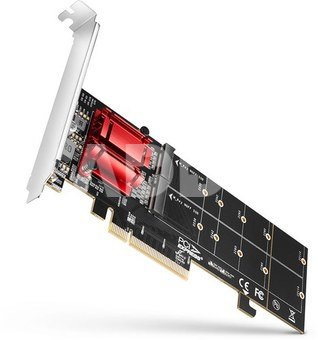
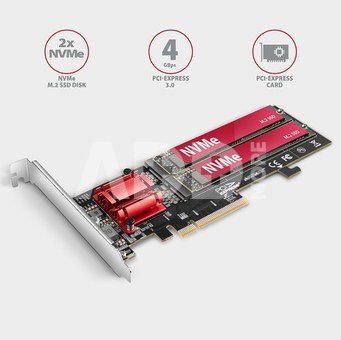
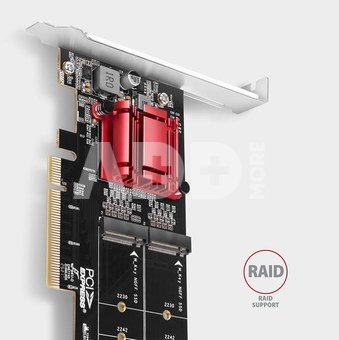
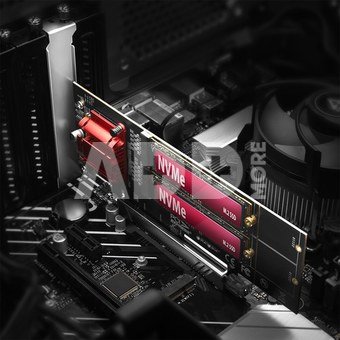
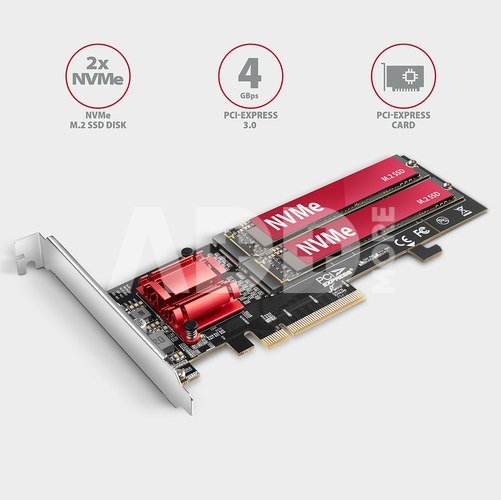
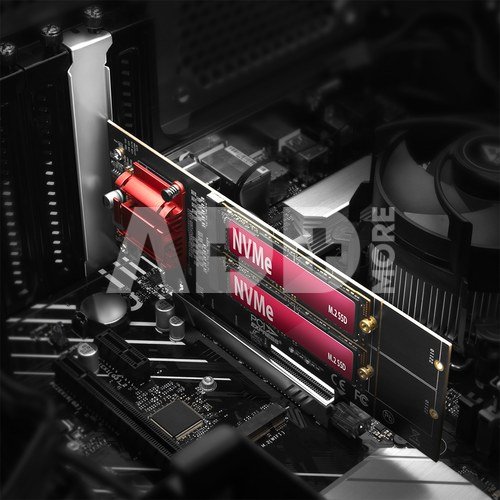
The PCI-Express AXAGON PCEM2-ND controller allows connecting two M.2 SSD disks to a desktop computer and also supports a RAID function. High-quality construction, compact size and well thought-out design make the adapter an ideal choice for upgrading a desktop computer that is not equipped with an M.2 slot. It will also be used in case of lack of M.2 slots.

The adapter is universal - compatible with any motherboard and will work on motherboards without PCI-Express Bifurcation support. The quality chip of the Asmedia company is behind this unique functionality. Thanks to PCI-Express 3.0 interface compatible with x8 and x16 slots a maximum transmission rates up to 4000 MB/s (4 GB/s) can be achieved.

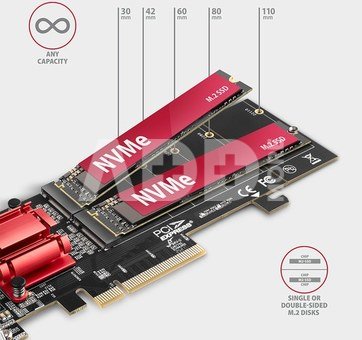
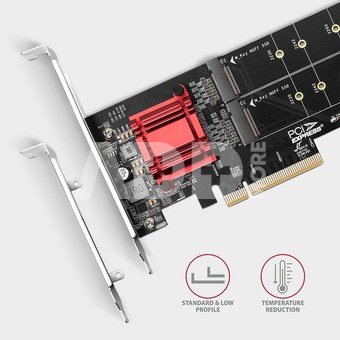
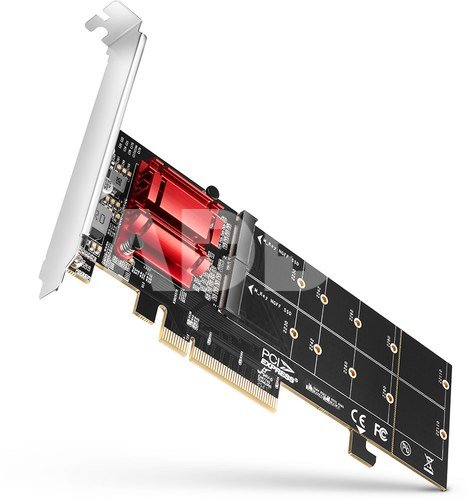
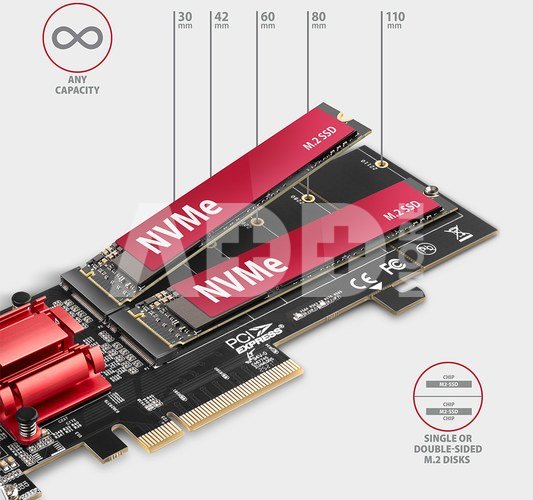
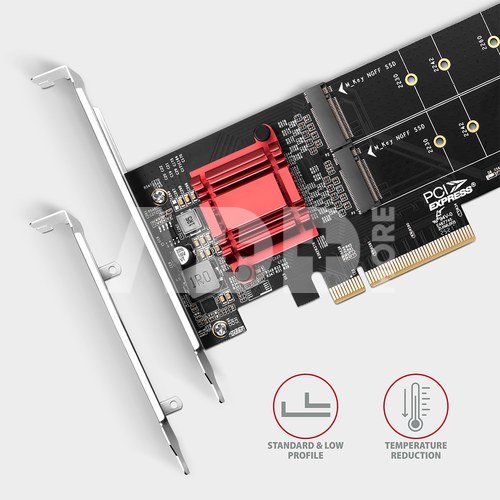
The adapter supports the use of NVMe (PCI-Express) M.2 SSD disks, both one-sided and double-sided ones. The reduction does not have a limitation of SSD disk capacity and M.2 cards with a size up to 22 x 110 mm can be used. When fitted with disks shorter than 22110, the back of the card can be detached to fit in a small area. The package also contains a low profile bracket for mounting the adapter into low profile cases. The M.2 controller card also has an integrated PCI-Express slot lock for better grip in the PCIe slot. The lock can be easily broken off if needed.

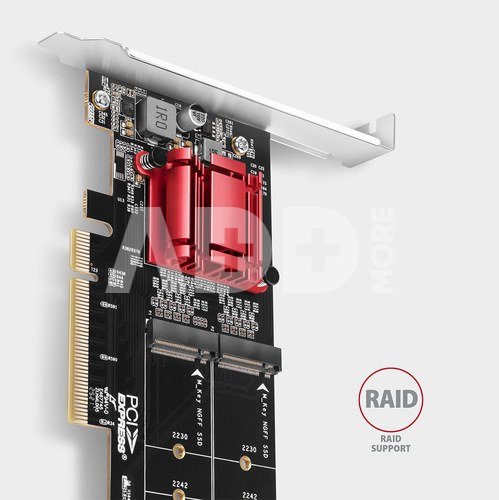
The PCIe adapter supports SW RAID, which can be created using suitable software or using integrated tools in the OS. By setting up RAID 1, you can achieve effective data protection using mirroring.

The chip is cooled by a powerful passive heatsink. Heatsinks up to 22 mm wide can be used to cool down M.2 disks, AXAGON M.2 heatsinks CLR-M2L3CLR-M2L6 and CLR-M2L10 are suitable. The LED indication indicates connection or data transfer in the M.2 slot. The installation is completely automatic, everyone can handle it.

Input:
PCI-Express 3.0 interface, compatible with a PCI-Express: 4.0 / 3.0 / 2.1 / 2.0 / 1.1 / 1.0a.
Number of lines: 8-Lane, compatible with x8 / x16 PCIe slots.

Output:
2x NGFF 75-pin M-key slot to install an NVMe (PCI-Express) M.2 SSD disk.

Other features:
Full Plug and Play support.
Simultaneous operation of both disks even on motherboards without PCIe Bifurcation support.
Support of M.2 disks with the sizes 2230, 2242, 2260, 2280 and 22110 mm.
The detachable back of the card allows use in small spaces. In this case, the 22110 disk cannot be mounted.
Support of M key or B+M key NVMe (PCI-Express) M.2 SSD disks without a maximum capacity limit.
Support of both one-sided and double-sided M.2 disks.
Support of booting from an SSD card.
The real box bandwidth / transmission rate is around 3500 MB/s (3.5 GB/s), it is given by the limits of the PCI-Express 3.0 interface.
RAID SW support - allows you to create software RAID using suitable SW or tools in the operating system.
Integrated PCI-E slot lock for better card grip. It can be broken off if necessary.
Possibility heatsinks mounting on disks in both slots. Max. heatsink width is 22 mm - compatible with AXAGON CLR-M2L3, CLR-M2L6 and CLR-M2L10 heatsinks.
No driver installation required.
The adapter is powered directly from the PCI-Express bus, no external power supply required.
Double LED indication indicates connection or data transfer in M.2 slots.
Dimensions: 180 x 64 x 20 mm.
Weight: 75 g.

Supported operating systems:
MS Windows 7 / 8 / 8.1 / 10 / 11 and later, Windows Server 2008 R2 / 2012 / 2016 / 2019 / 2022 and later (all 32- and 64-bit versions of Windows supported), and Linux with kernel 2.6.31 and higher.
Note: when Windows 7 used it is necessary to check OS support and driver availability with the M.2 SSD manufacturer.

Package contains:
PCI-Express adapter with a standard bracket,
low profile bracket,
mounting material,
printed installation manual in CZ / DE / DK / ENG / ESP / FIN / FR / GR / HR / HU / IT / NL / PL / PT / RO / RU / SK / SWE / TR / BG / CN / ARA,
packaged in a cardboard.

Garantinis laikotarpis 24 mėnesių

Svoris 0.165 kg

Pristatymo laikas 0-4 d.d.

Aptarkite su konsultantu Kaune

Neturime Kaunas Adresas: Birželio 23-iosios g. 23g Darbo laikas: I-V 09:00 - 18:00 VI-VII nedirba Telefonas: +370 674 59488
Kaunas

Aptarkite su konsultantu Klaipėdoje

Neturime Klaipėda Adresas: Taikos pr. 17 Darbo laikas: I-V 10:00 - 19:00 VI 10:00 - 14:00 VII nedirba Telefonas: +370 604 43972
Klaipėda
Specifikacija
Gamintojas(?) AXAGON
Garantinis laikotarpis 24 mėnesių
Svoris 0.165 kg
Pristatymo laikas 0-4 d.d.
Prekės kodai

64051RME PCEM2-ND 8595247906717

Atsiliepimai

0 vidutinis įvertinimas (0 įvertinimų)

 0
 0
 0
 0
 0

Palikite atsiliepimą

Vertinti gali tik prisijungę vartotojai.

Palikti pirkėjų atsiliepimai (0)

Atsiliepimų kol kas nėra. Būk pirmas!

1. Kaip pasirinkti tinkamą klaviatūrą ir pelę savo kompiuteriui?

Norint pasirinkti tinkamą klaviatūrą ir pelę savo kompiuteriui svarbu atsižvelgti į asmeninius poreikius ir naudojimo būdą. Klaviatūros pasirinkimas priklauso nuo jūsų darbo pobūdžio, ergonominių poreikių ir asmeninio komforto. Jei daug laiko praleidžiate rašydami, svarbu rinktis klaviatūrą su maloniu klavišų paspaudimu ir ergonomišku dizainu, kuris sumažina rankų ir pečių įtempimą. Specializuotos klaviatūros, kuriose yra papildomų funkcijų, pavyzdžiui, programuojamų klavišų arba spalvotų šviesų, gali pagerinti naudotojo patirtį. Pelės pasirinkimas gali priklausyti nuo jūsų darbo pobūdžio – grafikos dizaineriams arba žaidimų entuziastams gali reikėti aukštos raiškos ir didelio jautrumo pelės. Ergonominės pelės su daugiau nei vienu mygtuku gali palengvinti darbą su įvairiomis programomis. Be to, svarbu atkreipti dėmesį į sąveiką su jūsų kompiuterio tipu (ar tai belaidė, ar laidinė klaviatūra ir pelė) bei patogią ergonomiją. Prieš perkant, būtina išbandyti klaviatūrą ir pelę, kad įsitikintumėte, jog jos atitinka jūsų poreikius ir yra patogios naudoti.

2. Kokios yra geriausios aušinimo sistemos kompiuteriui?

Geriausią aušinimo sistemą galima pasirinkti atsižvelgiant į kompiuterio naudojimo scenarijų. Vandens aušinimas dažnai būna efektyvus, ypač esant dideliam apkrovimui, o oro aušinimas yra paprastesnis ir pigesnis variantas. Keletas populiarių aušinimo būdų apima: 1) Oro aušinimas (Air Cooling): Paprasta ir ekonominė alternatyva, naudojanti didelius ventiliatorius, šilumos vamzdžius ir radiatorius. Šis būdas tinka vidutinio ir žemo lygio naudotojams. 2) Vandens aušinimas (Liquid Cooling): Ši sistema naudoja specialų šilumos siurblių ir vamzdžių rinkinį, leidžiantį aušinti komponentus vandeniu. Tai dažnai naudojama su pažangesniais procesoriais ir vaizdo plokštėmis, tačiau reikalauja tikslaus diegimo. 3) Phase Change Cooling: Labai efektyvi sistema, kuri naudoja šaltus dujų ciklus, kad transformuotų dujas į skysčius ir atvirkščiai. Tai brangesnė alternatyva, bet suteikia itin efektyvų aušinimą. 4) Termoelektrinė (Peltier) sistema: Šio tipo sistema naudoja Peltier elementus, kurie gali perkelti šilumą iš vienos pusės į kitą, priklausomai nuo elektros srovės krypties. Ši sistema gali būti derinama su kitomis aušinimo metodikomis. Geriausią pasirinkimą lemia naudojimo atvejis, biudžetas ir pageidaujamas efektyvumas. Priklausomai nuo to, ar norite paprasto, bet patikimo oro aušinimo, ar pažangesnės technologijos su vandeniu, turite rinktis tai, kas geriausiai atitinka jūsų poreikius.










