

+370 462 46444
I-V 10:00-19:00
VI 10:00-14:00

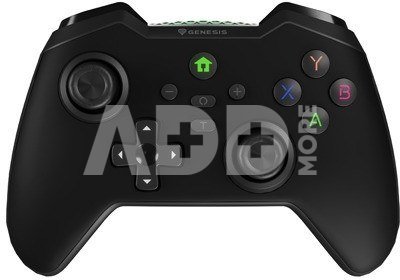
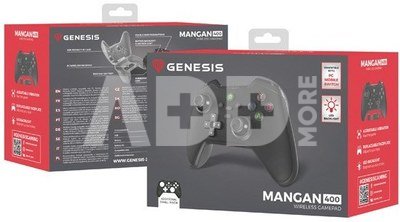
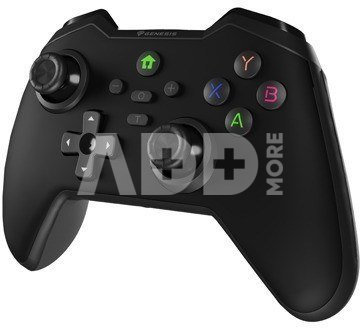
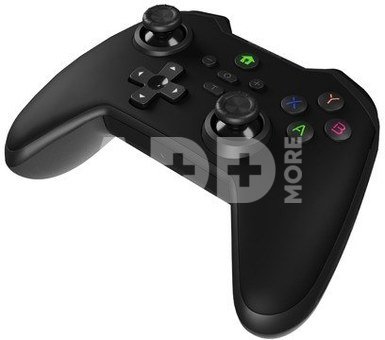
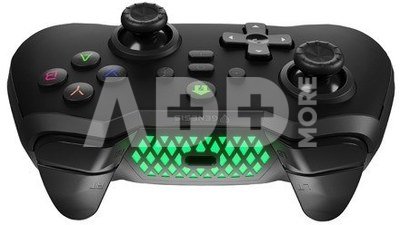
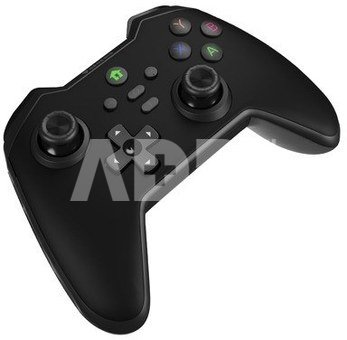
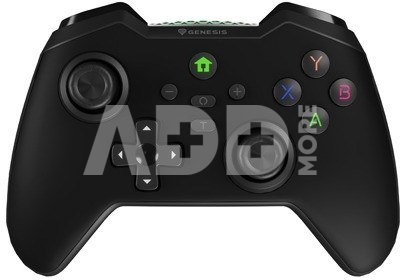
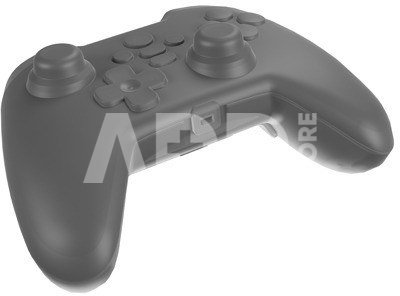
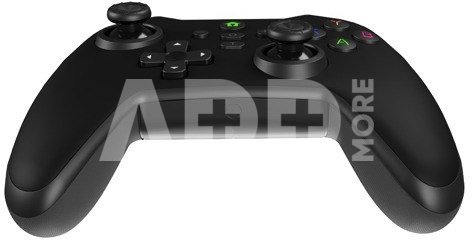
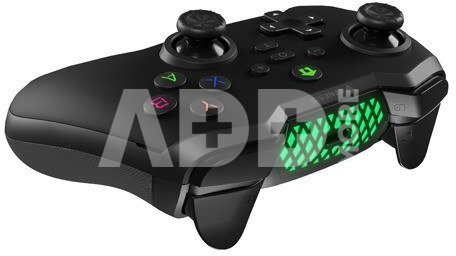
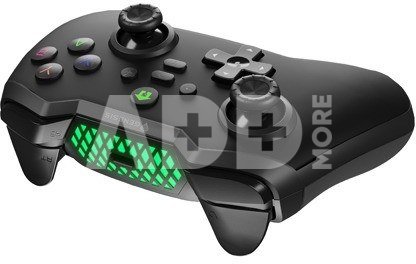
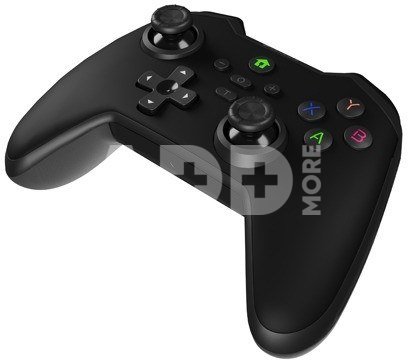
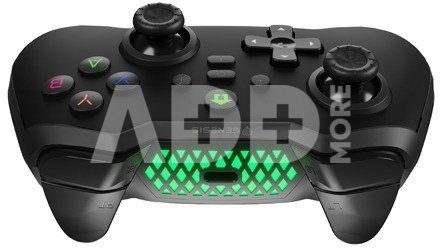
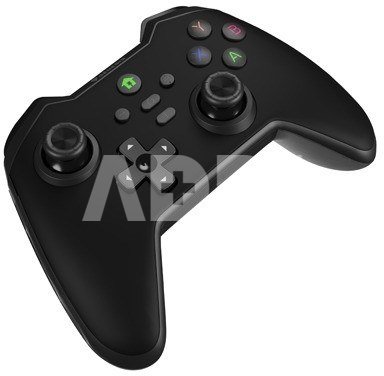
Natec Gamepad Genesis Mangan 400 black

Natec Gamepad Genesis Mangan 400 black
Kodas: 18670ABL
Gamintojo kodas: NJG-2100
Įsiminti
EU sandėlyje
Pristatymas 10-19 d.d.
Pasirinkite savybes
Spalva
32.00
Nuomoti(nuo €/diena)
Pratęsta garantija
Prekės draudimas

Nemokamai atsiimkite Kaune, parduotuvėje (Birželio 23-iosios g. 23g) Liepos 04 d.

Nemokamai atsiimkite Klaipėdoje, parduotuvėje (Taikos pr. 17) Liepos 04 d.

Pristatysime į namus per kurjerių tarnybą Liepos 06 d.

Turite klausimų? +370 462 46444 Siųskite užklausą

AprašymasNatec Gamepad Genesis Mangan 400 black aprašymas

Play with precision and in a good style

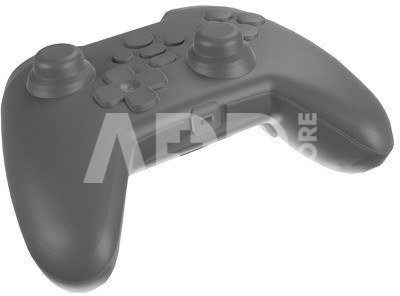
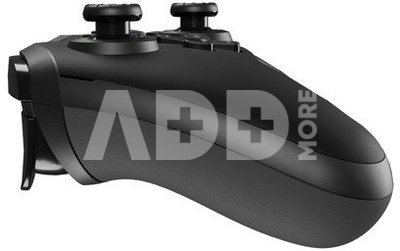
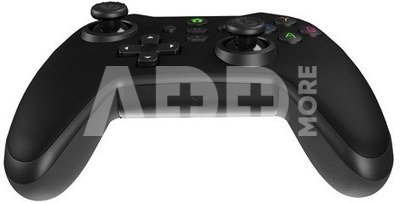
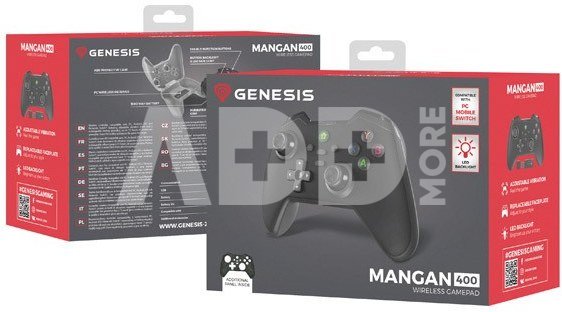
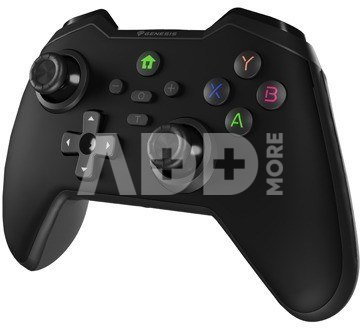
Discover Mangan 400 and choose a professional and stylish gameplay. It is a wireless controller, designed with an emphasis on operational precision and matching the appearance of the controller to individual tastes. With these solutions, you will find it much easier to achieve subsequent victories and stand out among other players.

Perfect joysticks

Perfect reproduction of joystick movements ensures that during the gameplay, you can fully utilise your own skills. It will not limit them to simplified controls characteristic of competitive controllers - with Mangan 400, tilting the stick in your chosen direction will execute a smooth and precise movement in a circle.

Customise the operation to your needs

You can adjust the operation of Mangan 400 to your individual needs. Whether you prefer the controller to remain still during gameplay or need to select one of the three available vibration strength modes for the controller. You can also adjust the sensitivity of the joystick, allowing you to customise, for example, the camera movement speed according to your preferences, even if the game itself does not allow it. Play by your own rules without compromising.

Precise triggers

Mangan 400 also features precise triggers. The force with which you press the triggers can affect, for example, the speed of the vehicles controlled in the game, making the gameplay even more responsive. Your victories are within reach, but they depend on quickly made decisions and... nimble fingers.

Wireless communication

Enjoy the Mangan 400 controller freely thanks to wireless communication. The Bluetooth adapter allows for communication with a PC within a range of up to 5 meters, while direct Bluetooth connection allows for playing from a distance of up to 10 meters from the device. You can play comfortably from anywhere in your room.

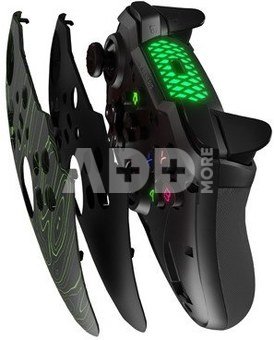
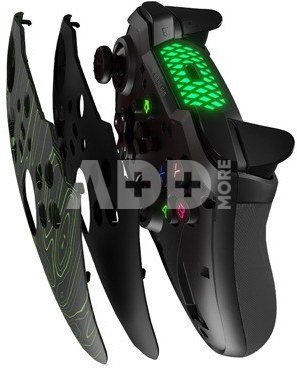
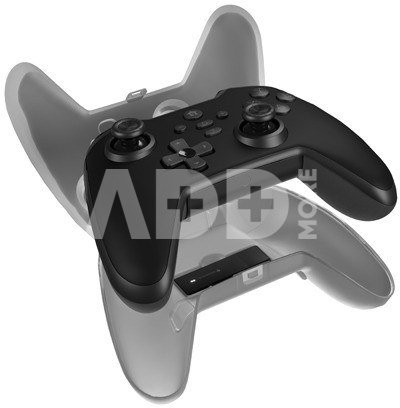
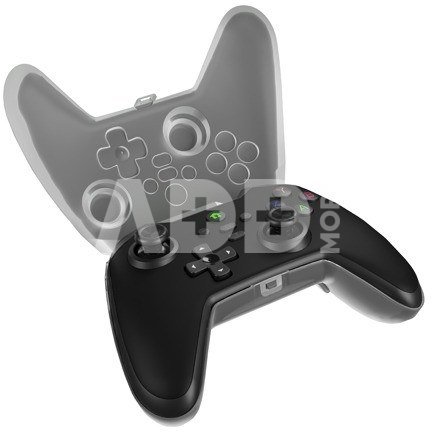
Replaceable front panel

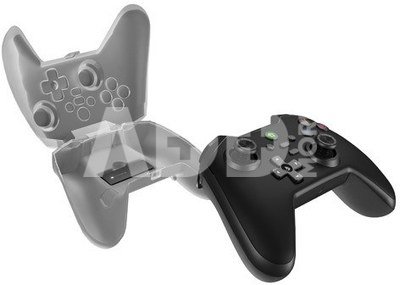
Break the routine of traditional controllers. Use the interchangeable front panel to customise the appearance of Mangan 400 to your style. At any time, change the colour cover (available in black, red, orwhite) to its alternative version, which you will find in the box

Gameplay as you like it

Mangan 400 is a versatile controller that allows for comfortable gaming on a computer, consoles (Nintendo Switch, Asus Rog Ally, Steam Deck), and mobile devices with Android and iOS on board. A fully charged device allows for playing for up to 15 hours, so you don't have to worry about interrupting the fun at the least expected moment.

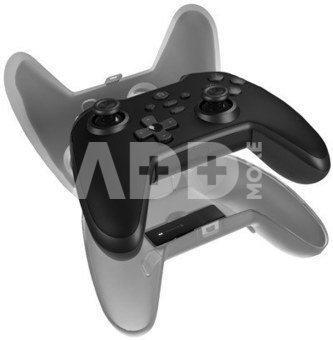
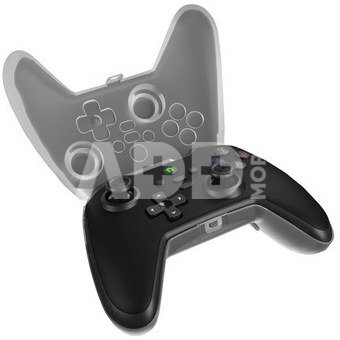
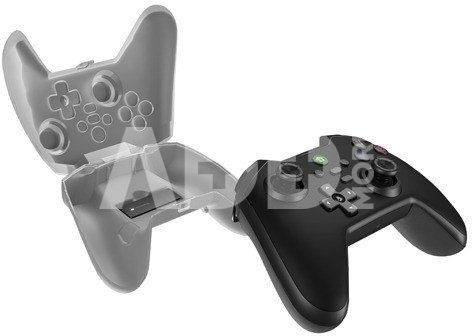
Secure case

A special case with a place for the PC adapter will allow you to safely store the equipment when you are not using the controller. It will also be useful during transport - Mangan 400 will enable comfortable gaming not only at home but also outside, for example, while traveling.

Quality

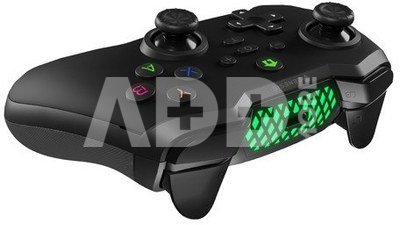
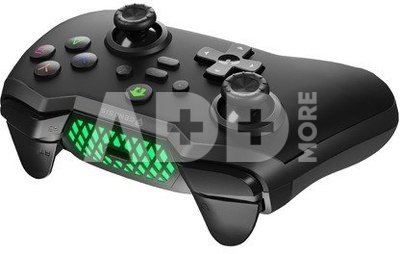
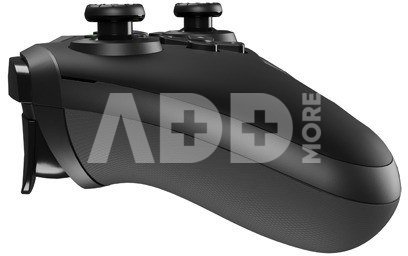
The pad is comfortable and will serve you for a long time. This is thanks to the illuminated buttons, which are made using Double Injection technology. This ensures that their imprints will not wear off even after years of use. The rubberised grips also contribute to the comfort of playing, preventing the controller from slipping - even during the most exciting gameplay.

Garantinis laikotarpis 24 mėnesių

Svoris 0.42 kg

Pristatymo laikas 10-19 d.d.

Aptarkite su konsultantu Kaune

Neturime Kaunas Adresas: Birželio 23-iosios g. 23g Darbo laikas: I-V 09:00 - 18:00 VI-VII nedirba Telefonas: +370 674 59488
Kaunas

Aptarkite su konsultantu Klaipėdoje

Neturime Klaipėda Adresas: Taikos pr. 17 Darbo laikas: I-V 10:00 - 19:00 VI 10:00 - 14:00 VII nedirba Telefonas: +370 604 43972
Klaipėda
Specifikacija
Gamintojas(?) Genesis
Garantinis laikotarpis 24 mėnesių
Svoris 0.42 kg
Pristatymo laikas 10-19 d.d.
Prekės kodai

18670ABL NJG-2100 5901969443738

Atsiliepimai

0 vidutinis įvertinimas (0 įvertinimų)

 0
 0
 0
 0
 0

Palikite atsiliepimą

Vertinti gali tik prisijungę vartotojai.

Palikti pirkėjų atsiliepimai (0)

Atsiliepimų kol kas nėra. Būk pirmas!

1. Kaip pasirinkti tinkamą klaviatūrą ir pelę savo kompiuteriui?

Norint pasirinkti tinkamą klaviatūrą ir pelę savo kompiuteriui svarbu atsižvelgti į asmeninius poreikius ir naudojimo būdą. Klaviatūros pasirinkimas priklauso nuo jūsų darbo pobūdžio, ergonominių poreikių ir asmeninio komforto. Jei daug laiko praleidžiate rašydami, svarbu rinktis klaviatūrą su maloniu klavišų paspaudimu ir ergonomišku dizainu, kuris sumažina rankų ir pečių įtempimą. Specializuotos klaviatūros, kuriose yra papildomų funkcijų, pavyzdžiui, programuojamų klavišų arba spalvotų šviesų, gali pagerinti naudotojo patirtį. Pelės pasirinkimas gali priklausyti nuo jūsų darbo pobūdžio – grafikos dizaineriams arba žaidimų entuziastams gali reikėti aukštos raiškos ir didelio jautrumo pelės. Ergonominės pelės su daugiau nei vienu mygtuku gali palengvinti darbą su įvairiomis programomis. Be to, svarbu atkreipti dėmesį į sąveiką su jūsų kompiuterio tipu (ar tai belaidė, ar laidinė klaviatūra ir pelė) bei patogią ergonomiją. Prieš perkant, būtina išbandyti klaviatūrą ir pelę, kad įsitikintumėte, jog jos atitinka jūsų poreikius ir yra patogios naudoti.

2. Kokios yra geriausios aušinimo sistemos kompiuteriui?

Geriausią aušinimo sistemą galima pasirinkti atsižvelgiant į kompiuterio naudojimo scenarijų. Vandens aušinimas dažnai būna efektyvus, ypač esant dideliam apkrovimui, o oro aušinimas yra paprastesnis ir pigesnis variantas. Keletas populiarių aušinimo būdų apima: 1) Oro aušinimas (Air Cooling): Paprasta ir ekonominė alternatyva, naudojanti didelius ventiliatorius, šilumos vamzdžius ir radiatorius. Šis būdas tinka vidutinio ir žemo lygio naudotojams. 2) Vandens aušinimas (Liquid Cooling): Ši sistema naudoja specialų šilumos siurblių ir vamzdžių rinkinį, leidžiantį aušinti komponentus vandeniu. Tai dažnai naudojama su pažangesniais procesoriais ir vaizdo plokštėmis, tačiau reikalauja tikslaus diegimo. 3) Phase Change Cooling: Labai efektyvi sistema, kuri naudoja šaltus dujų ciklus, kad transformuotų dujas į skysčius ir atvirkščiai. Tai brangesnė alternatyva, bet suteikia itin efektyvų aušinimą. 4) Termoelektrinė (Peltier) sistema: Šio tipo sistema naudoja Peltier elementus, kurie gali perkelti šilumą iš vienos pusės į kitą, priklausomai nuo elektros srovės krypties. Ši sistema gali būti derinama su kitomis aušinimo metodikomis. Geriausią pasirinkimą lemia naudojimo atvejis, biudžetas ir pageidaujamas efektyvumas. Priklausomai nuo to, ar norite paprasto, bet patikimo oro aušinimo, ar pažangesnės technologijos su vandeniu, turite rinktis tai, kas geriausiai atitinka jūsų poreikius.










