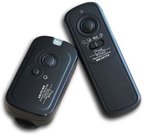
Sony wireless remote commander RMT-VP2
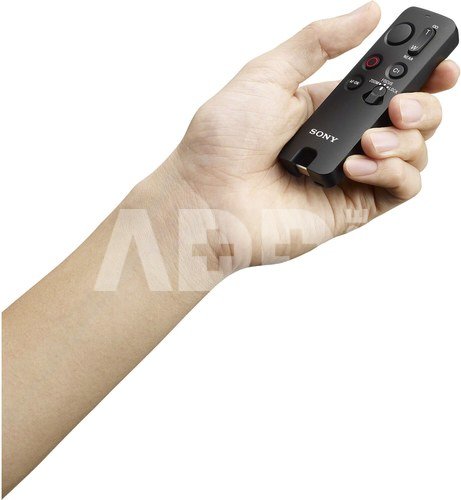
Small and easy-to-operate wireless remote commander
The RMT-VP2 wireless remote commander communicates wirelessly with Sony-made cameras via Bluetooth®, letting you operate the camera and shoot video and still images remotely for extra shooting flexibility.
Remote commander to operate the camera from a distance
The RMT-VP2 remote commander supports a wider range of shooting situations, such as commemorative event photos and shots with a fixed composition.
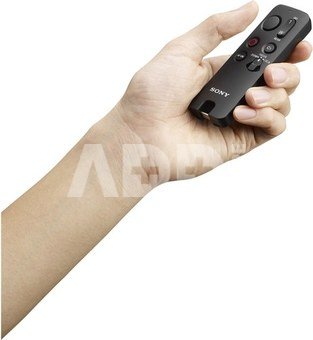
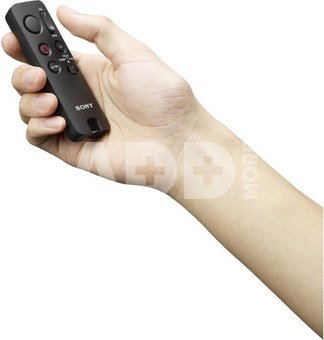
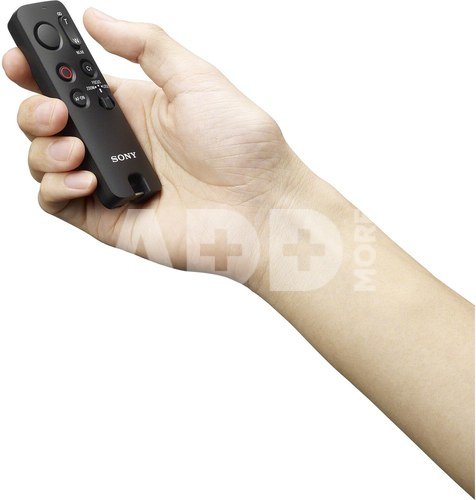
One-handed control
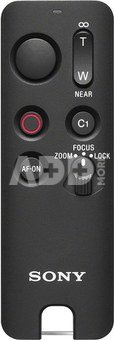
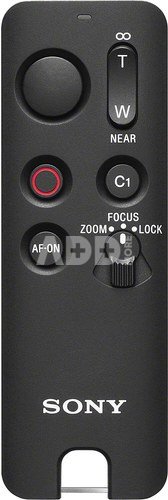
The RMT-VP2 remote commander front panel provides shutter, MOVIE (record), AF-ON, C1 and zoom/focus buttons, letting you shoot video or still images one-handed. If you pre-assign a frequently used function to the camera’s AF-ON or C1 button, pressing the corresponding button on the remote commander provides the same function, allowing you to customise the controls to suit your shooting requirements.
Lamp indicating remote operation and camera status
An LED lamp lights or flashes to indicate remote operation and camera status for easy checking right at hand as you shoot.
Stable wireless control for various cameras
The wireless remote commander communicates with Sony’s cameras via Bluetooth, providing more stable connectivity than infrared communication, even in the presence of obstacles or sunlight. The wireless communication range is approximately 10 m, for comfortable remote shooting.
Connect to a variety of cameras and smartphones
In addition to Sony’s cameras, the remote commander can control selected Xperia™ smartphones, so you can upgrade all your devices with new shooting freedom.
Reliability for any shooting environment
Thanks to dust and moisture resistance, the remote commander is ready for all of your shooting environments. Additionally, since no cables or receivers need to be connected to the camera, there is no need to open the camera body’s terminal cover, enhancing its own dust and moisture resistance.
Suitable for:
- Sony a1
- Sony a1 II
- Sony a5000
- Sony a5100
- Sony a6000
- Sony a6100
- Sony a6300
- Sony a6400
- Sony a6500
- Sony a6600
- Sony a6700
- Sony a7 III
- Sony a7 IV
- Sony a7C
- Sony a7C II
- Sony a7CR
- Sony a7R III
- Sony a7R IV
- Sony a7R V
- Sony a7S III
- Sony a9
- Sony a9 II
- Sony a9 III
- Sony NEX-5T
- Sony ZV-E10
- Sony ZV-E10 II
- Sony QX1
- Sony ZV-E1
- Sony ZV-1 II
Discuss with a consultant in Kaunas
We don't have
Klaipėda Address: Birželio 23-iosios g. 23g Working hours: I-V 09:00 - 18:00 VI-VII not working Phone: +370 674 59488
Discuss with a consultant in Klaipėda
We don't have
Klaipėda Address: Taikos pr. 17 Working hours: I-V 10:00 - 19:00 VI 10:00 - 14:00 VII not working Phone: +370 604 43972
1. How can a remote control improve the photography experience?
Remote controls provide photographers with more flexibility and control during the photography process. They allow remote functions such as video recording and help prevent camera movement, ensuring stability and the best framing. This is especially useful when taking selfies, group photos, or shooting from a distance. The remote control is particularly beneficial when photographing groups or yourself, allowing you to take pictures without help. It also reduces camera shake, helping avoid blurry images during long exposure times or poor lighting conditions. By using a remote control, you can easily adjust the frame, change settings, and even record videos—all from a comfortable distance. All these factors contribute to a more convenient and creative photography experience.
2. How can a remote control help when shooting with multiple cameras or complex photo compositions?
A remote control is an indispensable tool when shooting with multiple cameras or complex compositions. It allows you to control the camera remotely, enabling the photographer to quickly and conveniently adjust the frame or focus. This is especially useful when creating group or scene photos, where precise control is necessary. Using a remote control reduces camera vibration, ensuring high-quality images. Additionally, the remote control allows the photographer to be more flexible in their creative decisions, making it easier to experiment with different frames. Not only does it save time, but it also enhances the overall photography experience.

















Reviews
0 average rating (0 votes)