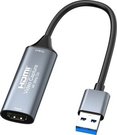
Adapter USB Type-C to HDMI, LAN, 3x USB Type-A, 1x USB Type-C, PD100W, SD+TF
Adapter USB Type-C to HDMI, LAN, 3x USB Type-A, SD, TF, USB Type-C, PD100W�
<b>Features: </b>�
The 9-in-one adapter has docking station function for notebooks, allows you to connect a keyboard, mouse, speaker, hard disk or Flash drive, Ethernet cable.�
Supports fast charging protocol PD 3.0 100W.�
The HDMI connector allows you to transfer video and audio from your phone or computer to your TV or projector with 4K resolution.�
Card reader function for photo/video reading (dual card slot for SD/ TF cards: supporting microSD, microSDHC, microSDXC, SD, SDHC, SDXC) up to 80Mbps.�
The USB 3.0 port supports 5Gb/s data transfer rates.�
The adapter is compatible with Windows, Mac OS operating systems.�
Aluminium housing, fast heat dissipation.�
<br>�
<b>Specifications:</b>�
Input interface: USB Type-C plug (M).�
Output interface: 1x HDMI (F) socket, 1x RJ-45 socket (F), 2x USB 3.0 Type-A sockets (F), 1x SD card slot, 1x TF card slot, 1x USB Type-C PD socket (F), 1x USB 3.0 Type-C (F) socket, 1x USB 2.0 Type-A (F) socket.�
USB standard: 3.0/2.0.�
Transfer rate: up to 10Gbps (1x USB Type-C).�
LAN: 1000M.�
PD: 12V/5A, 100W.�
Resolution HDMI: 4K/ 60Hz.�
HDMI version: 2.0.�
Supported systems: Windows XP/7/8+, Mac OS 10.8+.�
Color: blue.�
Body material: aluminum.�
Dimensions: 130x50x15 mm.�
<br>�
<b>Warranty: </b>12 months.�
�
Discuss with a consultant in Kaunas
We don't have
Klaipėda Address: Birželio 23-iosios g. 23g Working hours: I-V 09:00 - 18:00 VI-VII not working Phone: +370 674 59488
Discuss with a consultant in Klaipėda
We don't have
Klaipėda Address: Taikos pr. 17 Working hours: I-V 10:00 - 19:00 VI 10:00 - 14:00 VII not working Phone: +370 604 43972
1. How to choose the right cable for your camera or other device?
To choose the right cable for your camera or other device, it is important to consider several factors. First, you need to know what type of connector your device uses – whether it's USB, HDMI, USB Type-C, etc. Next, it’s important to take into account the data transfer speed (the data transfer rate). If it's data transfer, for example, from the camera to the computer, you may need a fast USB 3.0 or USB Type-C connection. Another factor is the cable length – choose the appropriate length depending on where and how you plan to use the cable. The quality of the cables can also impact the stability of the transferred data and the sound quality of the speaker wire. Carefully read the device specifications and choose a cable that suits your needs.
2. How to choose the right power adapter for your electronic device?
When choosing the right power adapter for your electronic device, it is important to pay attention to several key factors. Check the device's specifications to determine the required input voltage, current, and connector. The adapter must meet these specifications to ensure proper charging and prevent potential damage. Choose an adapter from a reliable manufacturer and make sure it meets safety standards. It is also important to pay attention to the type of adapter connector and ensure it is compatible with your device. Finally, consider the portability and convenience of the adapter, especially if you need to charge your device frequently while traveling.

















Reviews
0 average rating (0 votes)