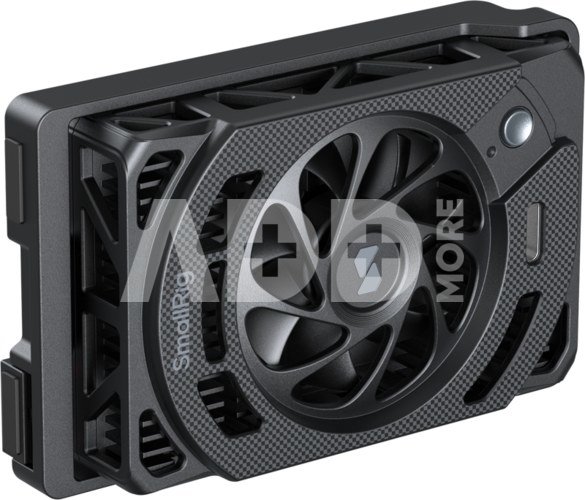
SmallRig 5875 Cooling Fan for Panasonic LUMIX S1 II / S1 IIE / S1R II
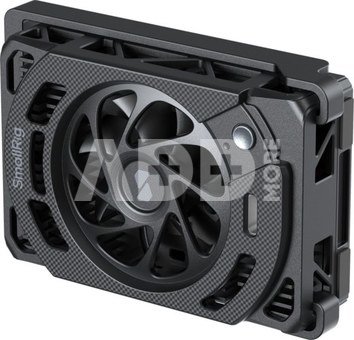
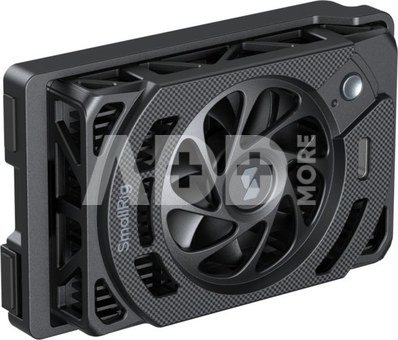
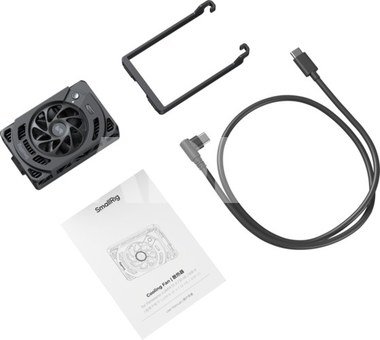
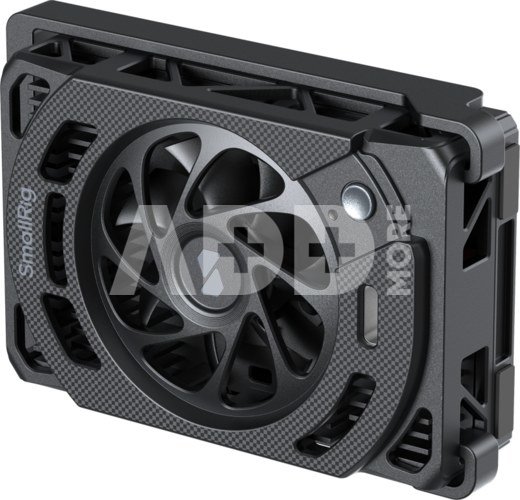
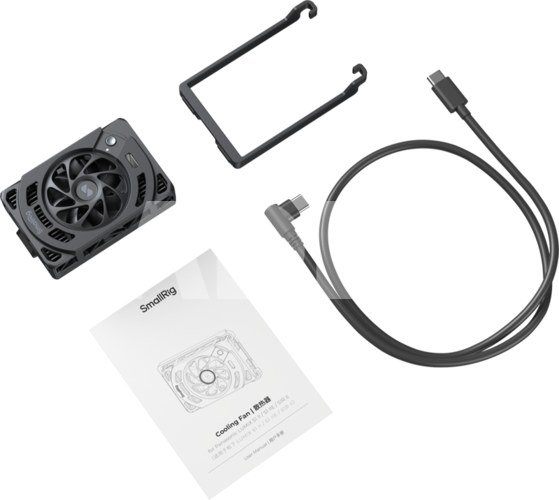
SmallRig 5875 Cooling Fan for Panasonic LUMIX S1 II / S1 IIE / S1R IIIts advanced cooling system combines a 7000 RPM high-speed fan with a TEC (Thermoelectric Cooler) chip for superior heat dissipation, effectively preventing thermal shutdown.The fan offers two speed settings (high and low) to accommodate various shooting scenarios. Its innovative, tool-free snap-on mount allows for swift installation or removal, ensuring effortless operation and unimpeded access to the camera's LCD screen.For extended power and continuous cooling, the unit is compatible with SmallRig V-Mount battery mount plate kits and V-Mount batteries.Technical Data:Operating Voltage: 4 - 10.8VOperating Current: 1 - 2ACooling Power: 5 - 18WOperating Temperature: 0 to 45℃ Noise Level: Normal Mode: < 40 dBBoost Mode: < 50 dBFan Speed: Normal Mode: 4500RPMBoost Mode: 7000RPMProduct Dimensions: 85.2 x 54.4 x 21.8mmProduct Weight: 103.5gNote:After installing this product, the camera's LCD screen cannot be retracted. Please remove the cooling fan before retracting the LCD screen.This product does not include a built-in battery and must be connected to an external power source to operate.In ambient temperatures of 40°C or higher, the cooler's effect on lowering the host device's temperature may be limited.When shooting in a quiet environment, the microphone may pick up fan noises. Before use, monitor the audio through the camera's headphone jack or a similar monitoring interface.Compatibility:Panasonic LUMIX S1 II / S1 IIE / S1R IICompatible with the following Sony cameras when the mounting bracket is removed:Sony ZV-E1 / ZV-E10 II / ZV-E10 / ZV-1 / ZV-1F / Alpha 7 IV / Alpha 7S III / Alpha 7C / Alpha 7C II / Alpha 7CR / Alpha 6700 / FX3 / FX30Packaging includes:Cooling FanMounting BracketUSB-C CableOperating Instruction
Discuss with a consultant in Kaunas
We don't have
Klaipėda Address: Birželio 23-iosios g. 23g Working hours: I-V 09:00 - 18:00 VI-VII not working Phone: +370 674 59488
Discuss with a consultant in Klaipėda
We don't have
Klaipėda Address: Taikos pr. 17 Working hours: I-V 10:00 - 19:00 VI 10:00 - 14:00 VII not working Phone: +370 604 43972
1. What is the purpose of straps and cables in photography?
Straps and cables are used as additional safety for the camera. A strap can be attached to the camera to secure it to the hand or neck, with the cable’s end attached to the camera. This ensures that your equipment is protected even when you're holding it. The cable can also be useful when shooting from a high perspective or holding the camera on the body. Another common use is for secure attachment to a tripod or other stable structure. Straps and cables can act as safety devices, preventing accidents and protecting expensive equipment. Additionally, they can be used for creative purposes, such as creating effects with motion hooks or bouncing object details. This gives photographers the opportunity to experiment with movement and add dynamics to their photos. Overall, straps and cables are invaluable tools that enhance photography capabilities and results.
2. How to choose the right mount, nut, or sticker to attach a device to a tripod or other surface?
When choosing a mount, nut, or sticker, first consider the device that needs to be attached and where it will be used. Make sure the device is compatible with your camera or other equipment. Pay attention to the stability of the mount or nut and the possibility of angle adjustment. Decide on the level of functionality you need – whether it should be a flexible mount, a sturdy nut, or a sticker with strong adhesion. Take into account the material and quality of the mount or nut, especially if you're using expensive or heavy equipment. If you often shoot outdoors, it is important to choose a mount that is weather-resistant. It's also worth considering the price and reviews of the selected product to ensure you choose the right mount that suits your needs and will maintain durability over time. This will ensure that your equipment is secure and easily manageable.


















Reviews
0 average rating (0 votes)