

+370 462 46444
I-V 10:00-19:00
VI 10:00-14:00

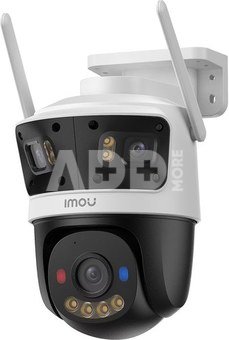
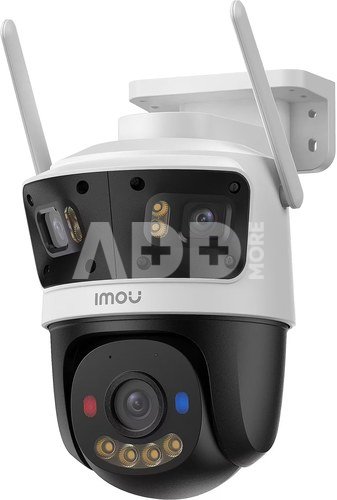
Imou security camera Cruiser 3MP Triple

Imou security camera Cruiser 3MP Triple
-13%
Kodas: 10672NRD
Gamintojo kodas: IPC-S7UP-11M0WED
Įsiminti
EU sandėlyje
Pristatymas 10-19 d.d.
Pasirinkite savybes
Spalva
129.00 149.00
Nuomoti(nuo €/diena)
Pratęsta garantija
Prekės draudimas

Nemokamai atsiimkite Kaune, parduotuvėje (Birželio 23-iosios g. 23g) Birželio 29 d.

Nemokamai atsiimkite Klaipėdoje, parduotuvėje (Taikos pr. 17) Birželio 29 d.

Pristatysime į namus per kurjerių tarnybą Liepos 01 d.

Turite klausimų? +370 462 46444 Siųskite užklausą

AprašymasImou security camera Cruiser 3MP Triple aprašymas

Tri-View sentinel, flawless insights
  • 3+3+5MP HD Clarity Matrix
  • Click2Track Multi-lens Linkage
  • Always-on Recording Mode
  • AIgo Play
  • Dual SD Card Slots

Tri-View sentinel surveillance
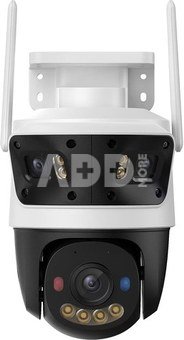
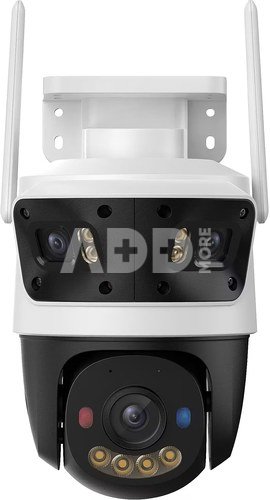
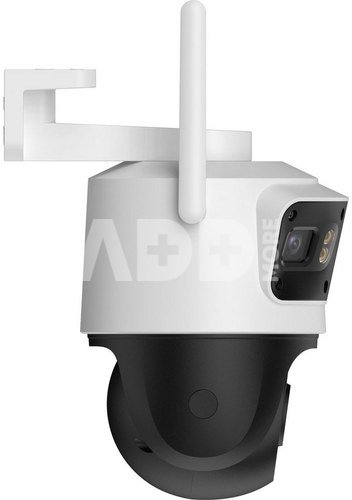
The Cruiser Triple is equipped with three lenses to give you a fuller and richer picture and perspective.

Focus as you like with Click2Track Multi-Lens Linkage
You can click anywhere in the screen of fixed lens in the app, and the PT lens will immediately turn to the position you pressed, quickly focusing on what you want.

Exceptional clarity and image quality
  • 3+3+5MP HD clarity matrix: The Cruiser Triple has a fixed lens resolution of 3+3 MP and a PT lens resolution of 5 MP, giving you an experience of unparalleled clarity.
  • 160° dual-angle fixed lens coverage: The Cruiser Triple has a fixed lens resolution of 3+3 MP and a PT lens resolution of 5 MP, giving you an experience of unparalleled clarity.
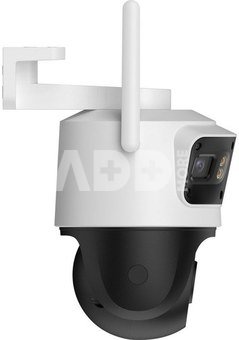
  • 360° protection PT lens: The Cruiser Triple's PT lens supports 0°-355° horizontal rotation and 0°-90° vertical rotation for 360° defense of your home.

Light the night up with smartness
Cruiser Triple can adjust different night vision modes according to your needs, whether you want the night vision to remain in full color all the time or want to turn on full color only when there is an event to save energy, it can always satisfy you.
  • Smart mode. The camera will automatically turn into color mode from infrared mode when suspicious motion is detected.
  • Full-color mode. With built-in spotlights, the picture will be full color all the time.
  • Infrared mode. Advanced IR algorithm provide clear black-and-white pictures even in darkness.
  • Off mode. Turn all night vision modes off completely to save power consumption.

MAX recording, MAX saving. Powered by IMOU AOR
With IMOU's pioneering All-Day Storage Saving Recording(AOR) mode¹, only 1 frame per second is captured when no event occurs, dramatically reducing memory usage, while high-frame smooth video recording occurs when an event is detected.

Customize your algorithmic matrix with Algo Play
You can choose and download the human, vehicle, crossing line, area intrusion, lens obstruction, vehicle guarding, illegal parking, traffic statistics detections² as you want through Algo Play to make the IMOU product exactly what you need, and the algorithms will be updated and continuously upgraded to improve your experience.

Connect your home from anywhere
Built-in speaker and microphone with echo cancellation feature allow you to interact with pets and family from anywhere.

Protect according to your preferences
  • Favorite Point Setting
  • Customizable detection zone
  • Customizable Alarm Sound
  • Protection Scheduling

Stronger deterrent for intruders
Cruiser Triple is equipped with warning lights that emit red and blue light, which will protect your home from intruders by being more of a deterrent when an intruder is detected than a regular white light warning.

Dual SD card slots for up to 1T storage
Cruiser Triple also adds an SD card slot for doubling up on storahe, and each slot supports card up to 512GB, with up to 1TB of capacity at your fingertips.

Professional protection to weather any storm
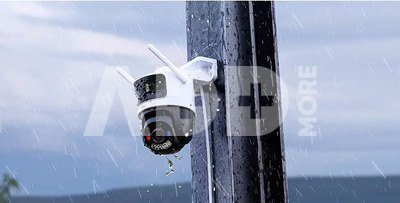
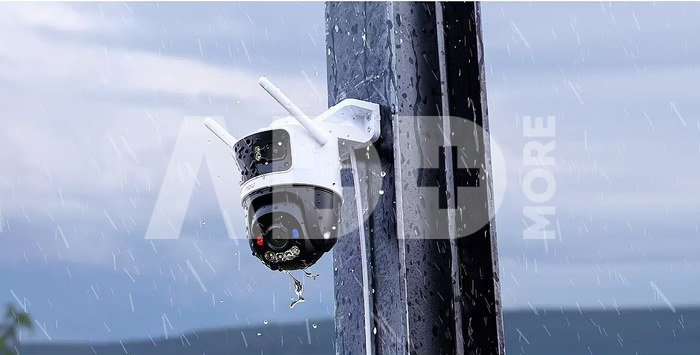
Cruiser Triple is able to against dust penetration and can easily handle rain and wind, keeping you safe around the clock.

More stable connections with Wi-Fi 6
Cruiser Triple supports the latest Wi-Fi 6 standard, which dramatically increases transmission rates and significantly reduces the number of disconnections, making data transmission more stable and secure.

Pristatymo laikas 10-19 d.d.

Aptarkite su konsultantu Kaune

Neturime Kaunas Adresas: Birželio 23-iosios g. 23g Darbo laikas: I-V 09:00 - 18:00 VI-VII nedirba Telefonas: +370 674 59488
Kaunas

Aptarkite su konsultantu Klaipėdoje

Neturime Klaipėda Adresas: Taikos pr. 17 Darbo laikas: I-V 10:00 - 19:00 VI 10:00 - 14:00 VII nedirba Telefonas: +370 604 43972
Klaipėda
Specifikacija
Gamintojas(?) Imou
Pristatymo laikas 10-19 d.d.
Prekės kodai

10672NRD IPC-S7UP-11M0WED 6976391035157

Atsiliepimai

0 vidutinis įvertinimas (0 įvertinimų)

 0
 0
 0
 0
 0

Palikite atsiliepimą

Vertinti gali tik prisijungę vartotojai.

Palikti pirkėjų atsiliepimai (0)

Atsiliepimų kol kas nėra. Būk pirmas!

1. Kaip pasirinkti tinkamą klaviatūrą ir pelę savo kompiuteriui?

Norint pasirinkti tinkamą klaviatūrą ir pelę savo kompiuteriui svarbu atsižvelgti į asmeninius poreikius ir naudojimo būdą. Klaviatūros pasirinkimas priklauso nuo jūsų darbo pobūdžio, ergonominių poreikių ir asmeninio komforto. Jei daug laiko praleidžiate rašydami, svarbu rinktis klaviatūrą su maloniu klavišų paspaudimu ir ergonomišku dizainu, kuris sumažina rankų ir pečių įtempimą. Specializuotos klaviatūros, kuriose yra papildomų funkcijų, pavyzdžiui, programuojamų klavišų arba spalvotų šviesų, gali pagerinti naudotojo patirtį. Pelės pasirinkimas gali priklausyti nuo jūsų darbo pobūdžio – grafikos dizaineriams arba žaidimų entuziastams gali reikėti aukštos raiškos ir didelio jautrumo pelės. Ergonominės pelės su daugiau nei vienu mygtuku gali palengvinti darbą su įvairiomis programomis. Be to, svarbu atkreipti dėmesį į sąveiką su jūsų kompiuterio tipu (ar tai belaidė, ar laidinė klaviatūra ir pelė) bei patogią ergonomiją. Prieš perkant, būtina išbandyti klaviatūrą ir pelę, kad įsitikintumėte, jog jos atitinka jūsų poreikius ir yra patogios naudoti.

2. Kokios yra geriausios aušinimo sistemos kompiuteriui?

Geriausią aušinimo sistemą galima pasirinkti atsižvelgiant į kompiuterio naudojimo scenarijų. Vandens aušinimas dažnai būna efektyvus, ypač esant dideliam apkrovimui, o oro aušinimas yra paprastesnis ir pigesnis variantas. Keletas populiarių aušinimo būdų apima: 1) Oro aušinimas (Air Cooling): Paprasta ir ekonominė alternatyva, naudojanti didelius ventiliatorius, šilumos vamzdžius ir radiatorius. Šis būdas tinka vidutinio ir žemo lygio naudotojams. 2) Vandens aušinimas (Liquid Cooling): Ši sistema naudoja specialų šilumos siurblių ir vamzdžių rinkinį, leidžiantį aušinti komponentus vandeniu. Tai dažnai naudojama su pažangesniais procesoriais ir vaizdo plokštėmis, tačiau reikalauja tikslaus diegimo. 3) Phase Change Cooling: Labai efektyvi sistema, kuri naudoja šaltus dujų ciklus, kad transformuotų dujas į skysčius ir atvirkščiai. Tai brangesnė alternatyva, bet suteikia itin efektyvų aušinimą. 4) Termoelektrinė (Peltier) sistema: Šio tipo sistema naudoja Peltier elementus, kurie gali perkelti šilumą iš vienos pusės į kitą, priklausomai nuo elektros srovės krypties. Ši sistema gali būti derinama su kitomis aušinimo metodikomis. Geriausią pasirinkimą lemia naudojimo atvejis, biudžetas ir pageidaujamas efektyvumas. Priklausomai nuo to, ar norite paprasto, bet patikimo oro aušinimo, ar pažangesnės technologijos su vandeniu, turite rinktis tai, kas geriausiai atitinka jūsų poreikius.










