

+370 462 46444
I-V 10:00-19:00
VI 10:00-14:00

Aqara Panel Hub S1 Plus

Aqara Panel Hub S1 Plus
-38%
Kodas: 09735NRD
Gamintojo kodas: MP-K03D
Įsiminti
EU sandėlyje
Pristatymas 10-19 d.d.
Pasirinkite savybes
Spalva
229.00 369.00
Nuomoti(nuo €/diena)
Pratęsta garantija
Prekės draudimas

Nemokamai atsiimkite Kaune, parduotuvėje (Birželio 23-iosios g. 23g) Liepos 01 d.

Nemokamai atsiimkite Klaipėdoje, parduotuvėje (Taikos pr. 17) Liepos 01 d.

Pristatysime į namus per kurjerių tarnybą Liepos 03 d.

Turite klausimų? +370 462 46444 Siųskite užklausą

AprašymasAqara Panel Hub S1 Plus aprašymas

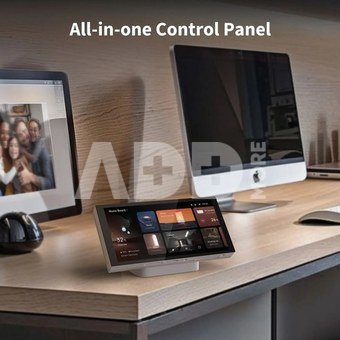
  • All-in-one control panel: equipped with 2 built-in switches and 6 wireless, it controls Aqara devices with adjustable settings.
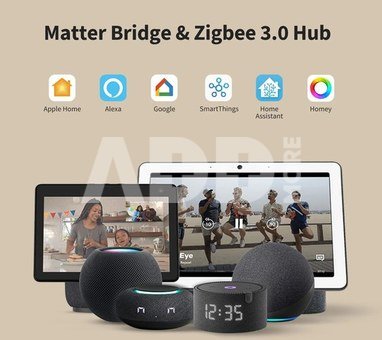
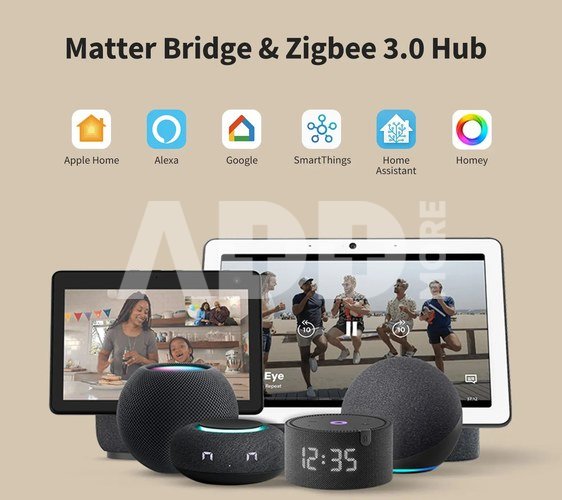
  • Matter bridge & Zigbee 3.0 hub: the panel connects Aqara devices to Matter ecosystems like Apple Home, Alexa, and Google Home as a Matter bridge, and features an Aqara Zigbee hub.
  • Camera streaming: stream video from Aqara cameras, unlock smart locks, and automate actions like doorbell press or visitor detection.
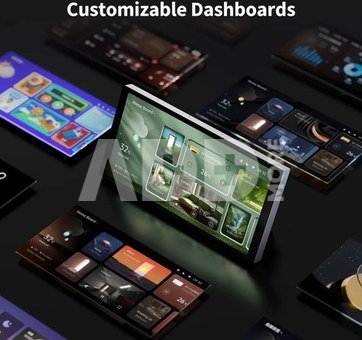
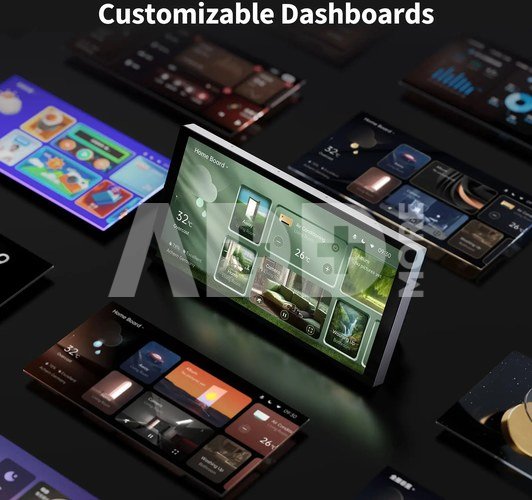
  • Customizable dashboards: the panel supports customizable dashboards that allow easy editing and dashboard copying.
  • Power monitoring: monitor power usage, view consumption, and create automations to reduce energy and promote sustainability.
  • Proximity screen activation: proximity activation turns on the screen when a person approaches, with customizable brightness for efficiency and interaction.

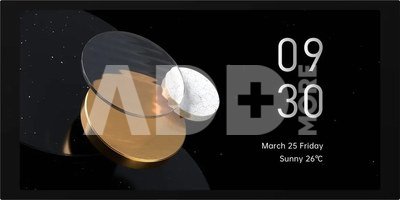
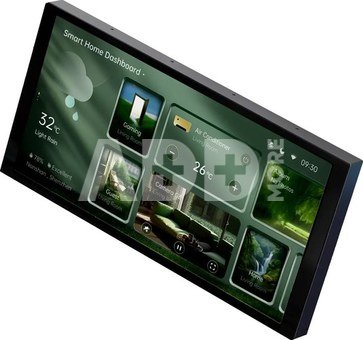
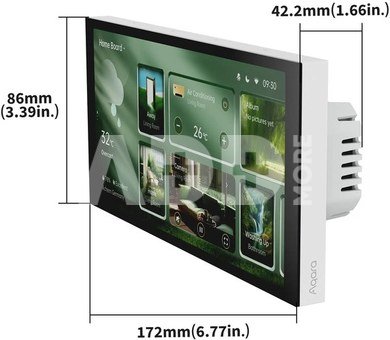
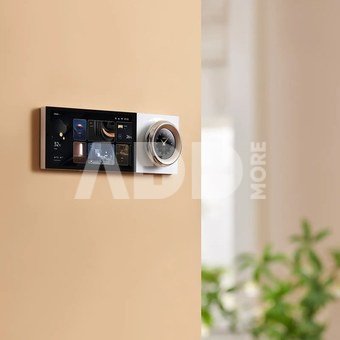
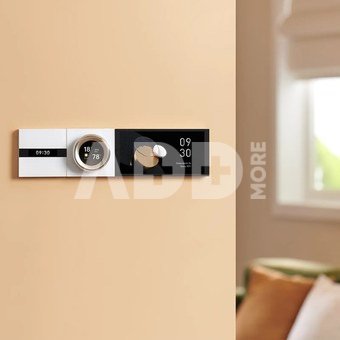
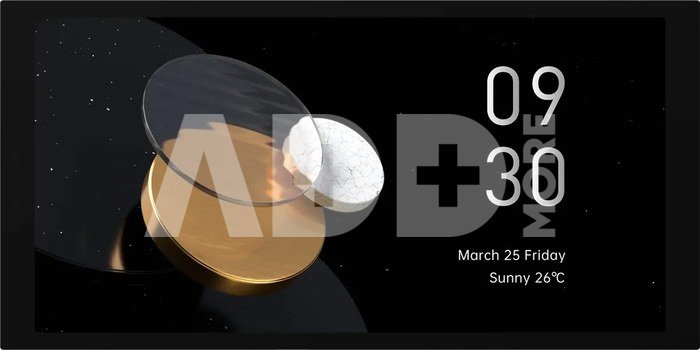
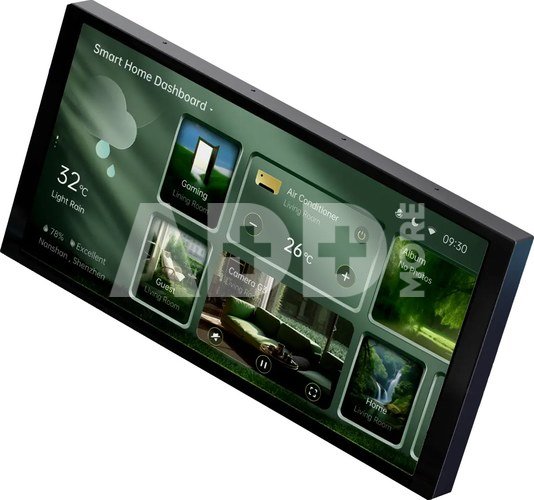
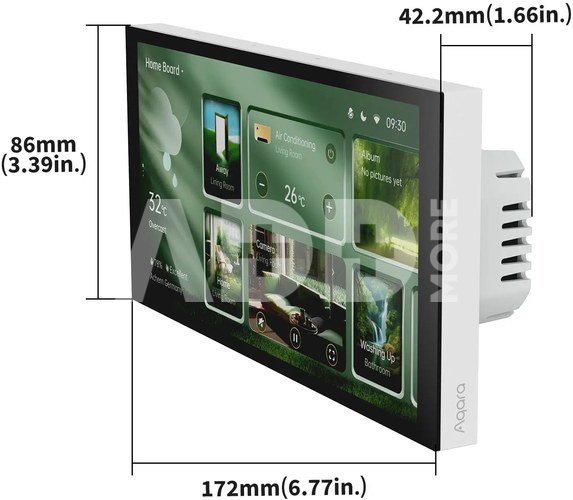
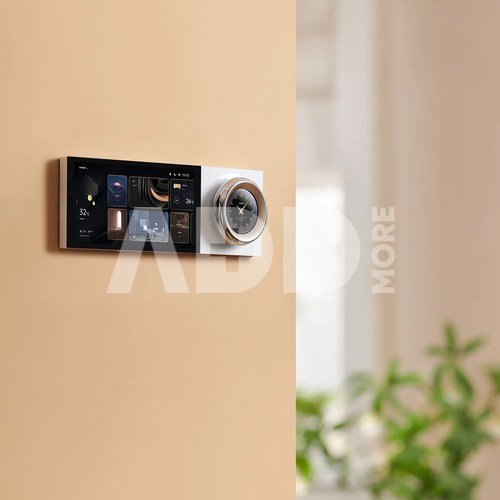
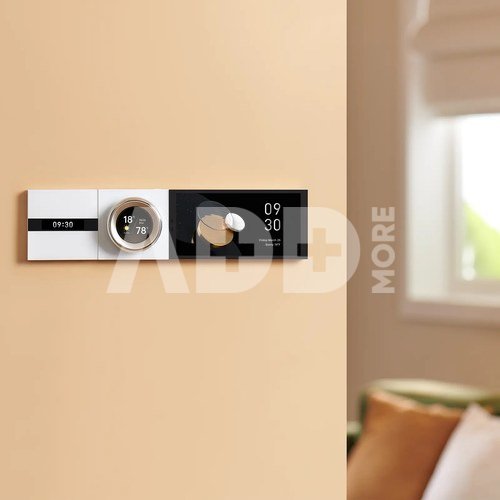
Aqara Panel Hub S1 Plus EU is a high-end whole-house smart control panel with wall switch function. It supports voice, touch screen, and app control. Its 6.9-inch screen supports whole-house lighting control, temperature control, and also supports video streaming from Aqara doorbells and cameras. It offers customisable dashboards, then users can get start to use it easily. It is also a Matter Bridge & Zigbee 3.0 Hub, helping users achieve seamless integration with Aqara sub-devices and third-party ecosystems.

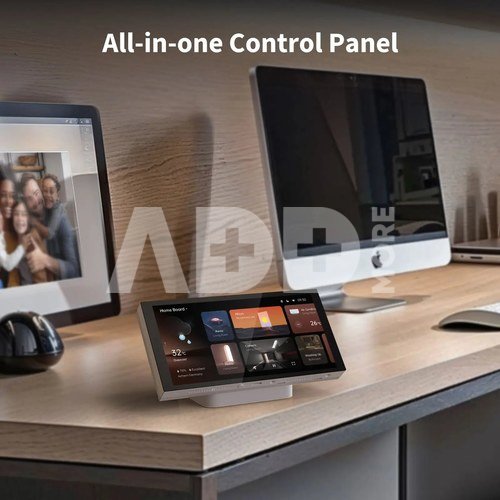
All-in-one Control Panel
Built-in 2 relay switches and 6 wireless switches*, it can help you manage and control your smart Aqara devicesin one panel. It will match the most suitable personalised dashboard according to your devices in the house to facilitate you to get started quickly. And users can also fine-tune parameters of Aqara devices, whether it is precise adjustment of CCT/RGBIC of lights, custom curtain settings, and thermostat temperature levels.
* This feature might be unavailable in some third-party Matter ecosystems, but is already supported by the device. To guarantee this functionality, we suggest connecting the device to Aqara Home (iOS/Android).

Matter Bridge & Zigbee 3.0 Hub
The smart Panel can be used as a powerful Aqara Zigbee hub, compatible with dual-band Wi-Fi—2.4GHz & 5GHz, to achieve efficient collaboration and intelligent linkage with the full range of Aqara sub-devices. With Matter over Bridge*, the panel connects our lineup of Aqara Zigbee devices to Matter ecosystems such as Apple Home, Alexa, Google Home.
* To use the device with a particular Matter ecosystem, a Matter Controller of this ecosystem is required.

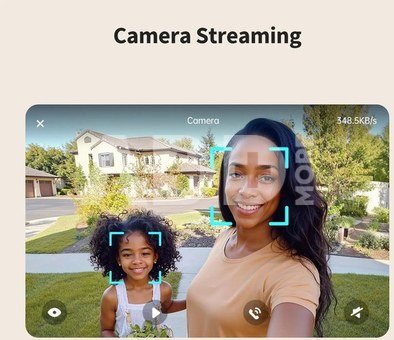
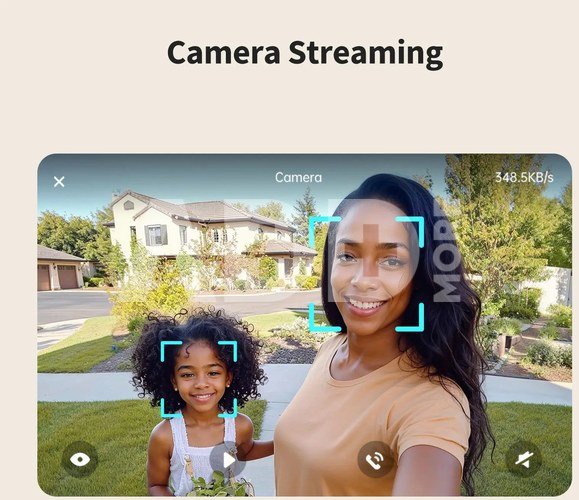
Camera Streaming*
Users can stream the video from Aqara Smart Doorbell G4, when a visitor arrives, you can see the visitor directly and conduct two-way communication with them through the panel, and you can also unlock the Aqara smart door lock directly on the screen. In addition, you can also manage multiple Aqara cameras through the panel. All of these help improve the coordination between devices and the efficiency of smart home management for users.
* Only Aqara camera devices can be streamed by the time of launch, and only one camera feed is shown at once.

Mics for Voice Control
In addition to app/touch screen/switch control, the panel also equipped with four advanced, highly sensitive microphones, ensuring precise and reliable voice control. Users can use Aqara Copilot, Aqara’s self-developed voice assistant, to control devices and scenes, check the weather, and more by voice. Just say “Hi, Aqara” or “Aqara” to activate and use it. Voice activation can be used up to 10 meters in an unobstructed area.

Editable Card Function and Flexible Dashboards*
Users can quickly add Aqara devices to the screen by adding cards on the screen, and arrange multiple scenes and multiple devices according to their usage habits, combine their favourite board themes. Up to 10 boards can be configured, providing users with a more personalised and convenient UI interface.
* A dashboard can be associated with up to 60 cards. Cards can be devices or scenes. (maximum dashboard: 10). And dashboards setup can be copied from your Aqara Home app to the screen. Available Aqara device types and model may vary based on current compatibility.

Power Monitoring
The panel monitors the power consumption of connected devices and provides daily/weekly/monthly energy consumption reports. Users can use these data reports in Aqara Home to optimise their daily electricity usage to reduce consumption and increase sustainable energy use.

Proximity Screen Activation
The proximity activation* feature supports triggering the screen by distance automatically, up to 2.5 meters away, which makes your home smarter and more interactive and helps reduce light pollution. Users can also set auto-brightness in the panel to ensure optimal visibility and protect your eyes. The Panel’s default automation allows users to set automation according to their preferences when someone approaches, bringing users a convenient experience.
* Proximity activation distance can be set within five different settings, from near to far. This distance setting function will be available only in Aqara Home.

Pristatymo laikas 10-19 d.d.

Aptarkite su konsultantu Kaune

Neturime Kaunas Adresas: Birželio 23-iosios g. 23g Darbo laikas: I-V 09:00 - 18:00 VI-VII nedirba Telefonas: +370 674 59488
Kaunas

Aptarkite su konsultantu Klaipėdoje

Neturime Klaipėda Adresas: Taikos pr. 17 Darbo laikas: I-V 10:00 - 19:00 VI 10:00 - 14:00 VII nedirba Telefonas: +370 604 43972
Klaipėda
Specifikacija
Gamintojas(?) Aqara
Pristatymo laikas 10-19 d.d.
Prekės kodai

09735NRD MP-K03D 6975833357499

Atsiliepimai

0 vidutinis įvertinimas (0 įvertinimų)

 0
 0
 0
 0
 0

Palikite atsiliepimą

Vertinti gali tik prisijungę vartotojai.

Palikti pirkėjų atsiliepimai (0)

Atsiliepimų kol kas nėra. Būk pirmas!

1. Kaip pasirinkti tinkamą klaviatūrą ir pelę savo kompiuteriui?

Norint pasirinkti tinkamą klaviatūrą ir pelę savo kompiuteriui svarbu atsižvelgti į asmeninius poreikius ir naudojimo būdą. Klaviatūros pasirinkimas priklauso nuo jūsų darbo pobūdžio, ergonominių poreikių ir asmeninio komforto. Jei daug laiko praleidžiate rašydami, svarbu rinktis klaviatūrą su maloniu klavišų paspaudimu ir ergonomišku dizainu, kuris sumažina rankų ir pečių įtempimą. Specializuotos klaviatūros, kuriose yra papildomų funkcijų, pavyzdžiui, programuojamų klavišų arba spalvotų šviesų, gali pagerinti naudotojo patirtį. Pelės pasirinkimas gali priklausyti nuo jūsų darbo pobūdžio – grafikos dizaineriams arba žaidimų entuziastams gali reikėti aukštos raiškos ir didelio jautrumo pelės. Ergonominės pelės su daugiau nei vienu mygtuku gali palengvinti darbą su įvairiomis programomis. Be to, svarbu atkreipti dėmesį į sąveiką su jūsų kompiuterio tipu (ar tai belaidė, ar laidinė klaviatūra ir pelė) bei patogią ergonomiją. Prieš perkant, būtina išbandyti klaviatūrą ir pelę, kad įsitikintumėte, jog jos atitinka jūsų poreikius ir yra patogios naudoti.

2. Kokios yra geriausios aušinimo sistemos kompiuteriui?

Geriausią aušinimo sistemą galima pasirinkti atsižvelgiant į kompiuterio naudojimo scenarijų. Vandens aušinimas dažnai būna efektyvus, ypač esant dideliam apkrovimui, o oro aušinimas yra paprastesnis ir pigesnis variantas. Keletas populiarių aušinimo būdų apima: 1) Oro aušinimas (Air Cooling): Paprasta ir ekonominė alternatyva, naudojanti didelius ventiliatorius, šilumos vamzdžius ir radiatorius. Šis būdas tinka vidutinio ir žemo lygio naudotojams. 2) Vandens aušinimas (Liquid Cooling): Ši sistema naudoja specialų šilumos siurblių ir vamzdžių rinkinį, leidžiantį aušinti komponentus vandeniu. Tai dažnai naudojama su pažangesniais procesoriais ir vaizdo plokštėmis, tačiau reikalauja tikslaus diegimo. 3) Phase Change Cooling: Labai efektyvi sistema, kuri naudoja šaltus dujų ciklus, kad transformuotų dujas į skysčius ir atvirkščiai. Tai brangesnė alternatyva, bet suteikia itin efektyvų aušinimą. 4) Termoelektrinė (Peltier) sistema: Šio tipo sistema naudoja Peltier elementus, kurie gali perkelti šilumą iš vienos pusės į kitą, priklausomai nuo elektros srovės krypties. Ši sistema gali būti derinama su kitomis aušinimo metodikomis. Geriausią pasirinkimą lemia naudojimo atvejis, biudžetas ir pageidaujamas efektyvumas. Priklausomai nuo to, ar norite paprasto, bet patikimo oro aušinimo, ar pažangesnės technologijos su vandeniu, turite rinktis tai, kas geriausiai atitinka jūsų poreikius.










